Alfen
Configuring Alfen charge points (ACE Installer)
Alfen charge points are configured via the ACE Installer tool.
Prerequisites
- Be connected to the same network as the charge point (Ethernet or Wi-Fi)
- Have the ACE Installer software (provided by Alfen): Download ACE Service Installer
Steps
- Open ACE Installer and log in:
- User: Post
- Password: prEze8
-
Connect to the charge point (if needed, use the Alfen card supplied with the charge point to reset the password: see the Alfen password reset procedure)
-
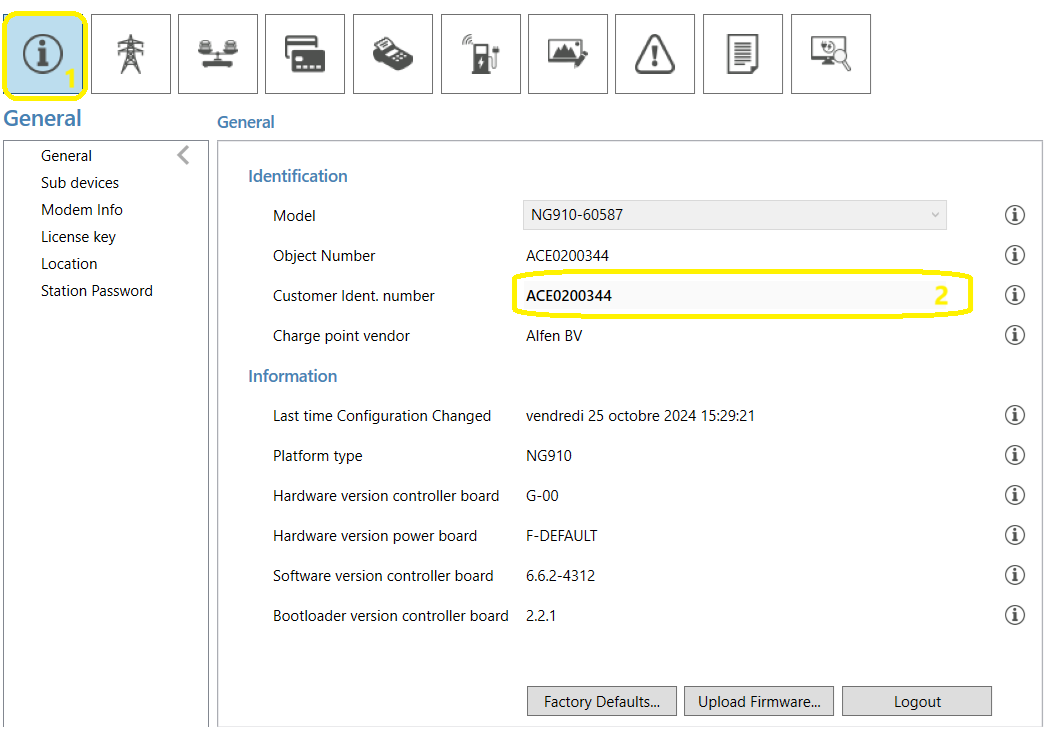
Read (or change) the OCPP ID:
-
Configure the communication between the Fuzz Local Controller and the charge point:
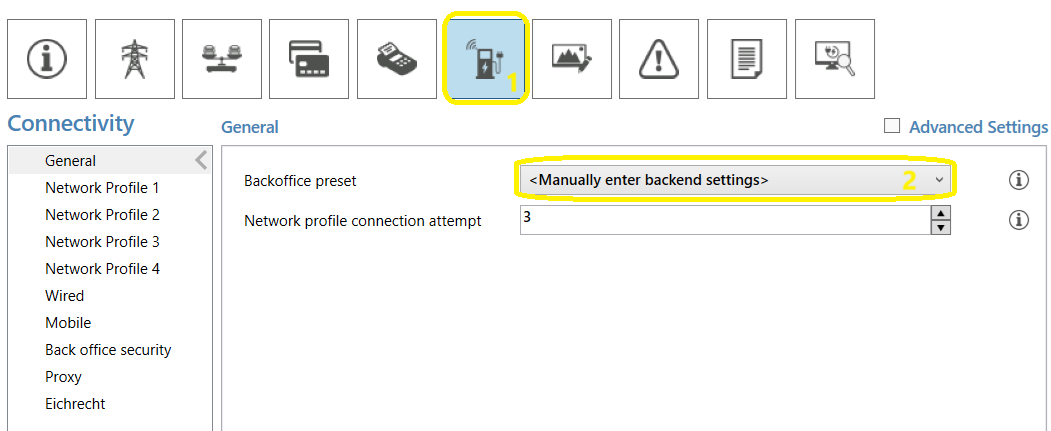
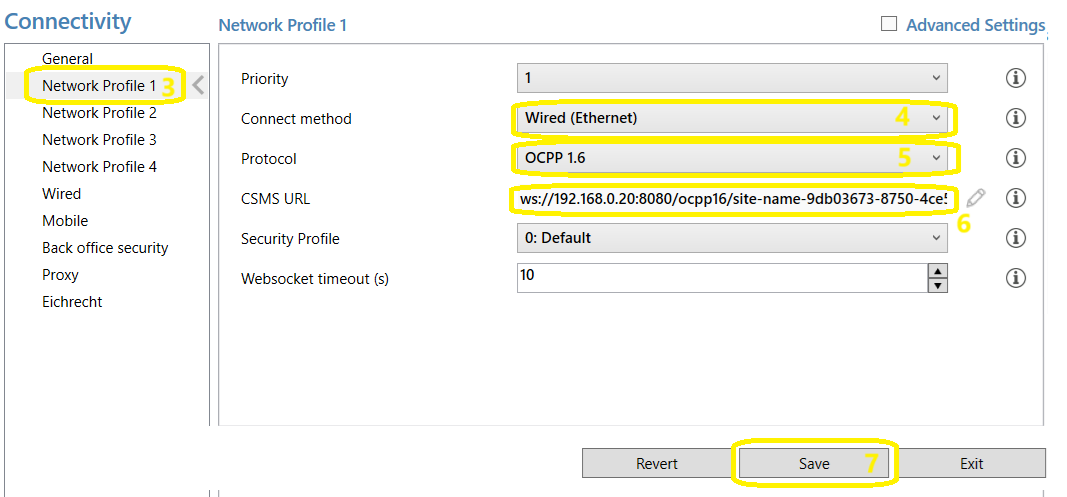 Warning: do not forget to save the configuration at each step!
 -
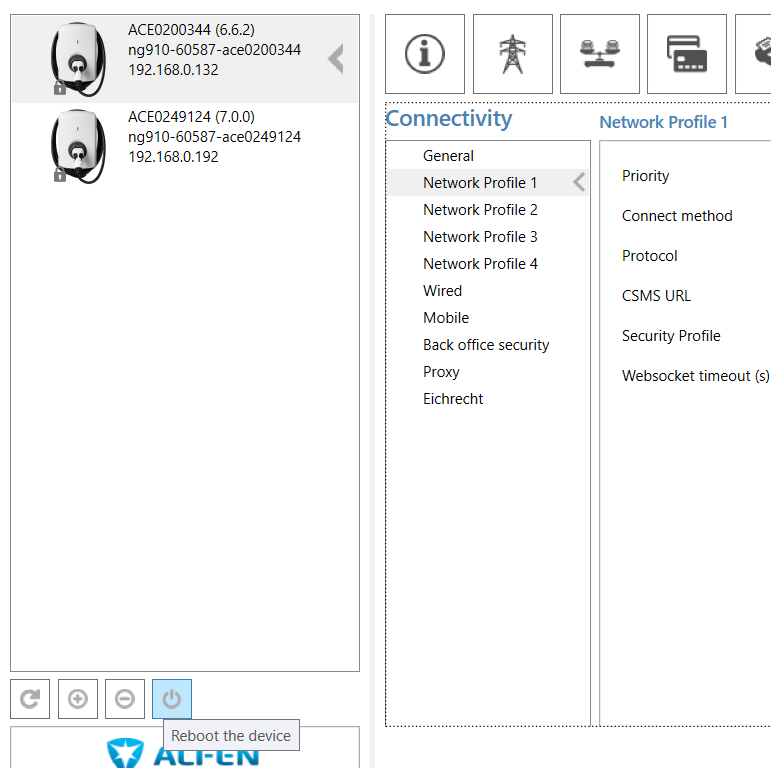
Reboot the charge point (via ACE or via the charge point circuit breaker)
Firmware update
Before any configuration, make sure the Alfen charge point runs firmware version 7.1.6 or higher.
Older versions may have incompatibilities with the OCPP behavior expected by the fuzz.energy Local Controller.
To update the firmware, refer to the Alfen documentation.