Easee
Configuring Easee charge points
Easee charge points are configured via the https://portal.easee.com web portal.
Prerequisites
- Have connected the Easee charge points to the Easee Portal platform
Steps
- Log in to https://portal.easee.com
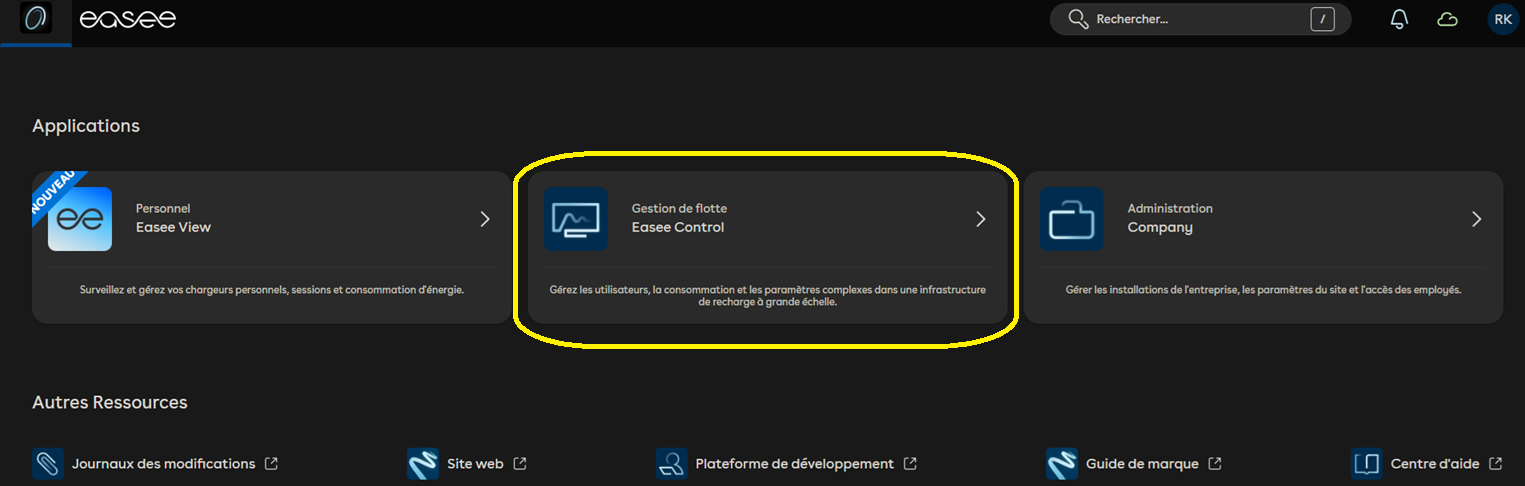
- Select the site to link to Fuzz via Easee Control
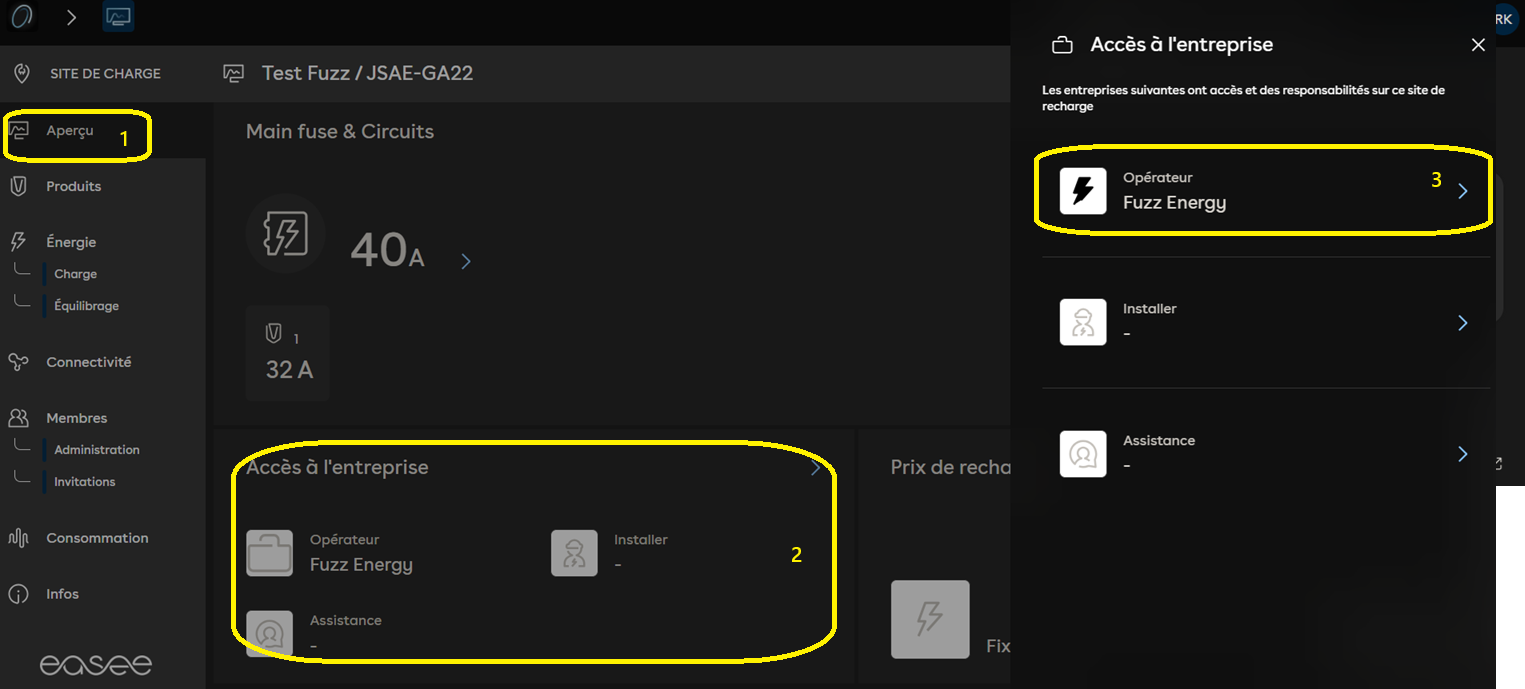
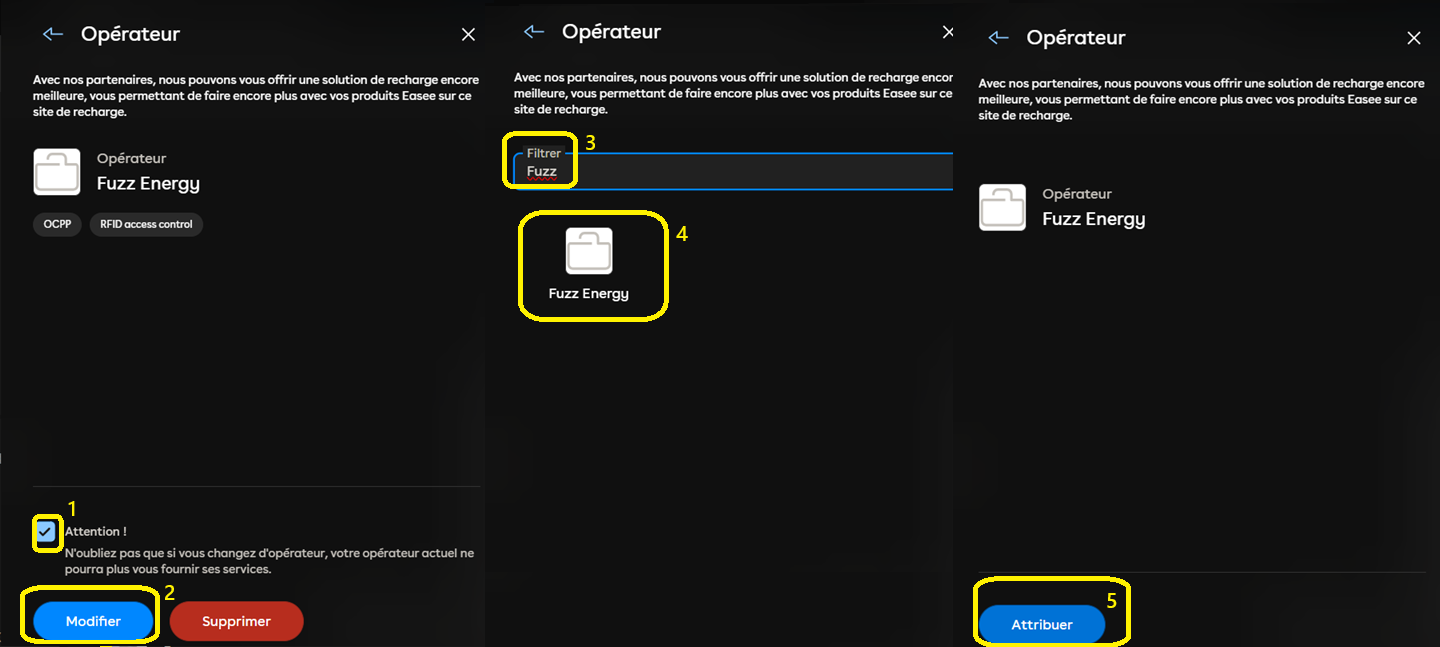
- Edit the charging operator and select Fuzz Energy
- Inform Fuzz Energy that the Easee charge points have been linked to the Fuzz environment via support@fuzz.energy and provide the id of the Fuzz site to which the charge points should be linked.
warning
Fuzz Energy must manually link the Easee charge points to the site. It is therefore necessary to notify the Fuzz team in advance to make this operation as fast as possible.
info
The default OCPP id is always the SN of the charge point.