EN+
Configuring EN+ charge points (AP Mode)
EN+ charge points are configured via their local web page accessible over Wi-Fi (AP mode).
Steps
- Reboot the charge point to force it to enable its Wi-Fi
- Connect to the charge point's Wi-Fi, whose name matches the serial number of the charge point (see this installer manual to connect to the charge point)
- Open the charge point's web page via its IP address https://192.168.1.4 and enter the PIN code of the charge point (available on the last page of the manual)
- Configure the communication between the Fuzz Local Controller and the charge point:
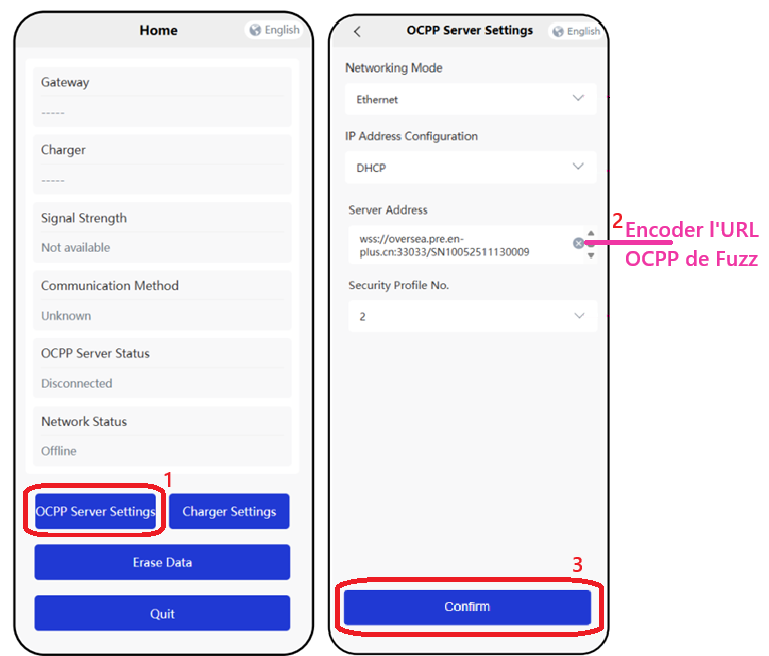
info
The default OCPP id is always the SN of the charge point and is automatically appended to the end of the configured URL.