Configuring Mennekes charge points
Mennekes charge points are configured via the embedded web interface accessible from a browser.
Prerequisites
- Be connected to the same network as the charge point (Ethernet or Wi-Fi)
- Have the charge point's IP address (visible from your router or via a network scan)
- Have the charge point passwords: different for each charge point (to be requested from the charge point distributor)
Steps
-
Open a web browser and enter the charge point's IP address in the address bar:
http://<charge-point-ip-address> -
Log in to the administration interface:
- User:
operator- Password: the password is unique per charge point and must be obtained from the charge point distributor
- Read (or change) the OCPP ID of the charge point:
- Navigate to the OCPP menu
- Check the Charge Point Identity field (= OCPP ID of the charging station)
- Configure communication with the Fuzz Local Controller:
-
Enter the OCPP server URL provided by fuzz.energy in the Central System URL field:
ws://<local-controller-address>:8080/ocpp16/TENANT_IDSSS -
Select the OCPP 1.6J protocol
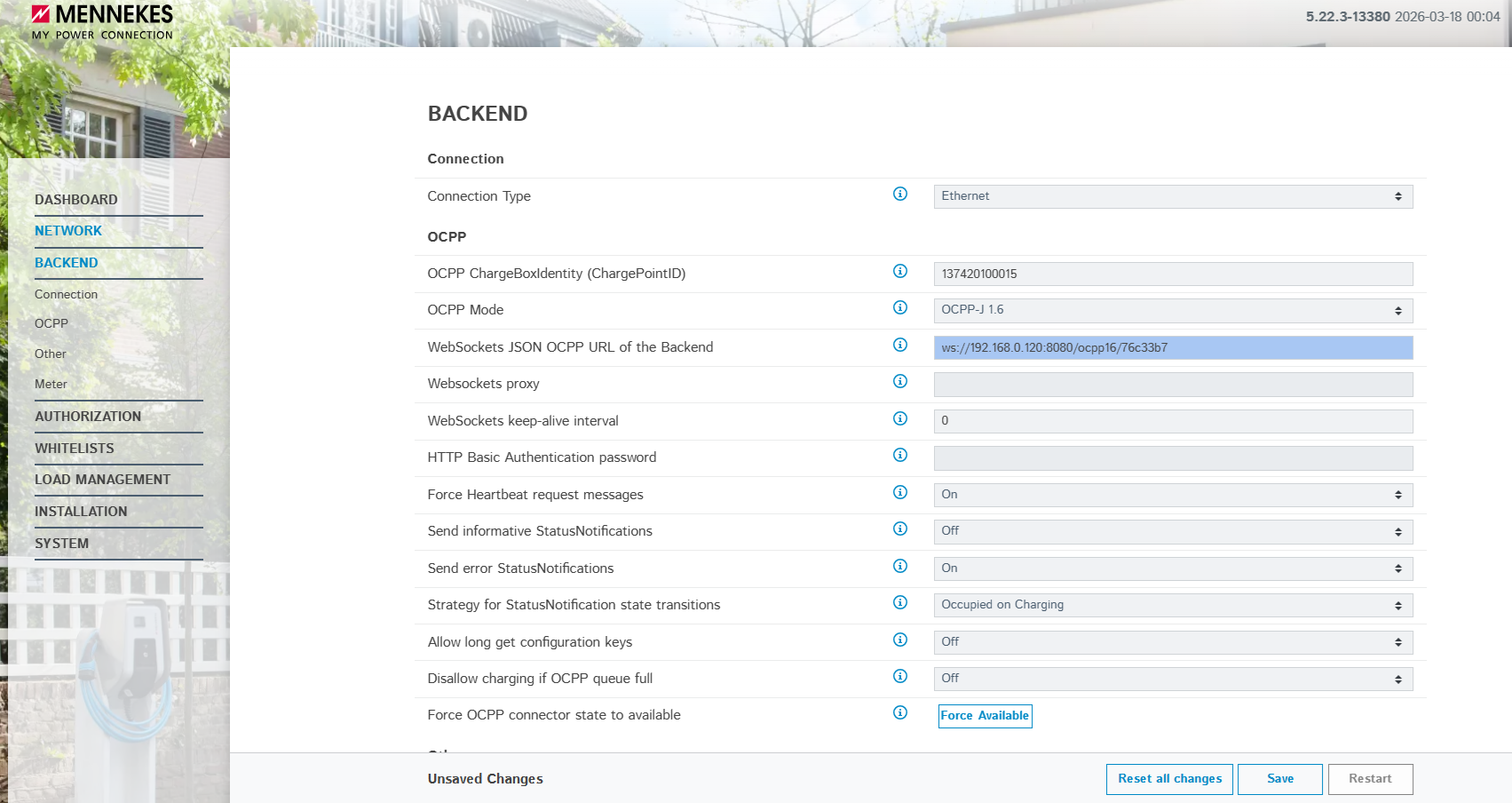
Do not forget to save the configuration at each step!
- Reboot the charge point from the web interface (Reboot button or via the charge point circuit breaker) so that the new configuration is applied.
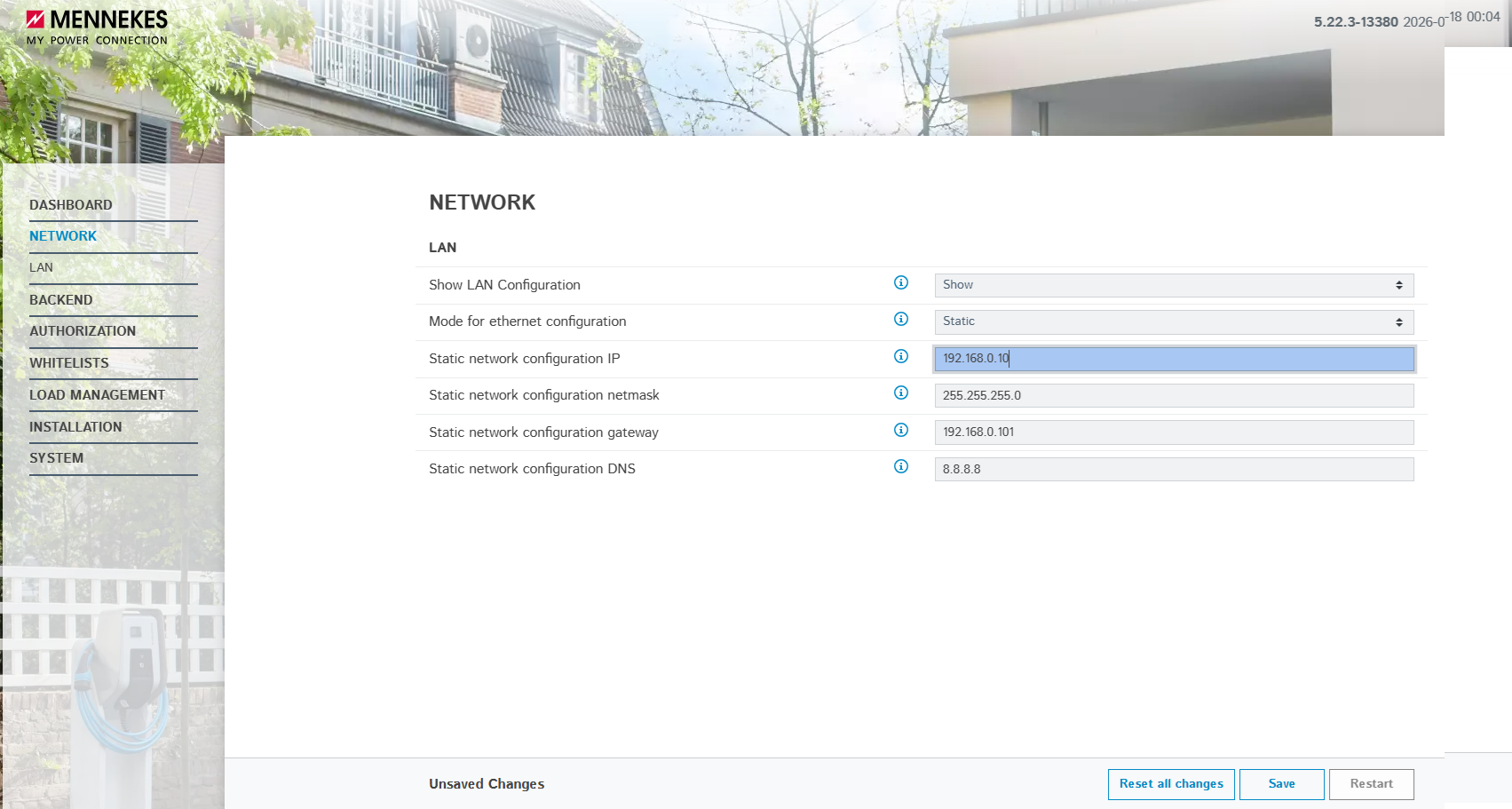
Accessing the charge point web page from the console
To guarantee that you can connect to the charge point's web page from console.fuzz.energy, it is recommended to set a fixed IP for the Mennekes charge point. This will allow you to change or check the charge point settings remotely in a durable way.
Firmware update
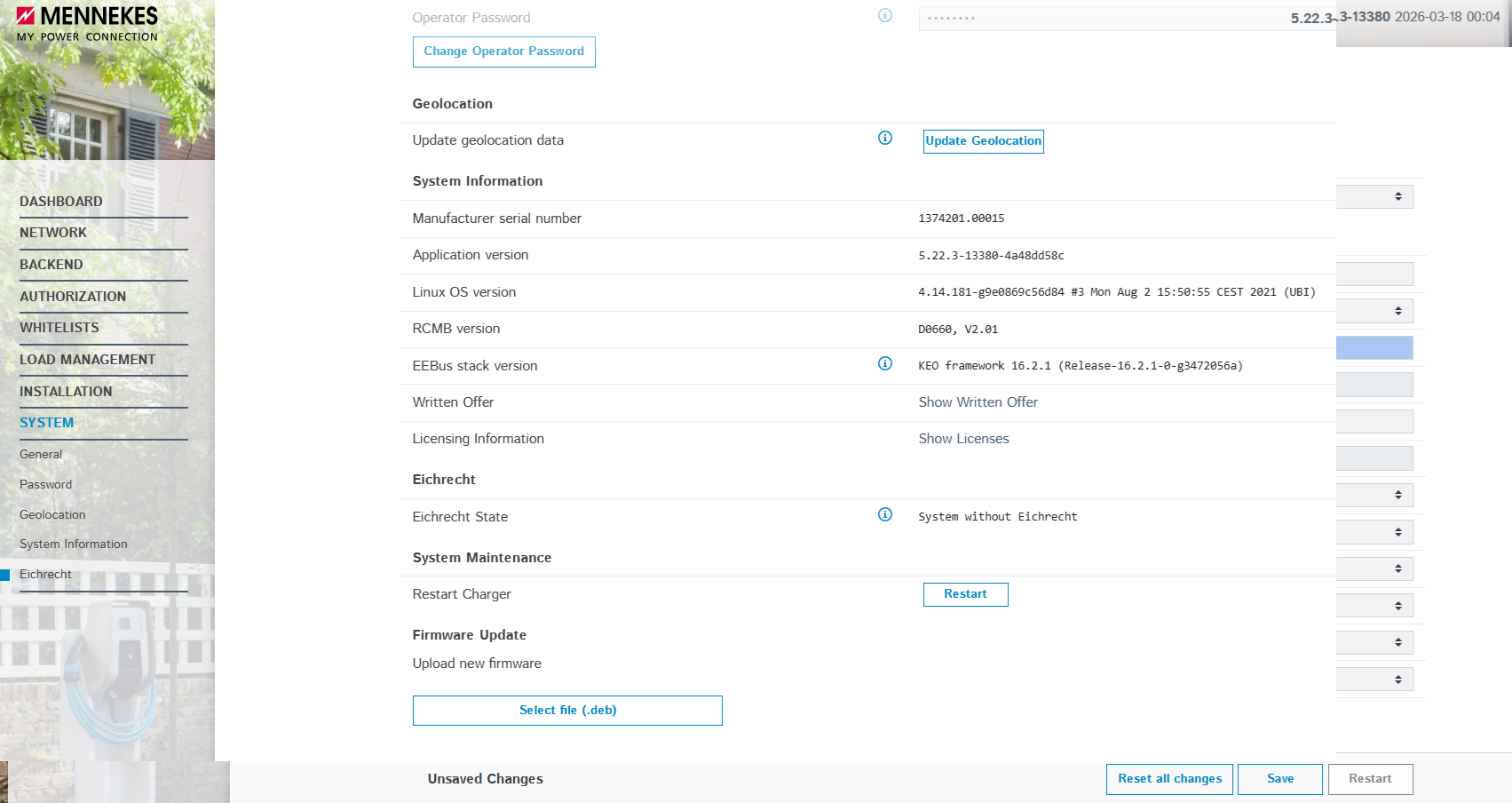
Before any configuration, it is recommended to make sure the Mennekes charge point runs an up-to-date firmware.
To update the firmware, refer to the official Mennekes documentation.