🏢 Create a company
Creating a company (Company) makes it possible to structure organizations and to group sites and users. Each user and each site belongs to a single Company. Creating a company allows sharing site access with end clients.
📍 Access
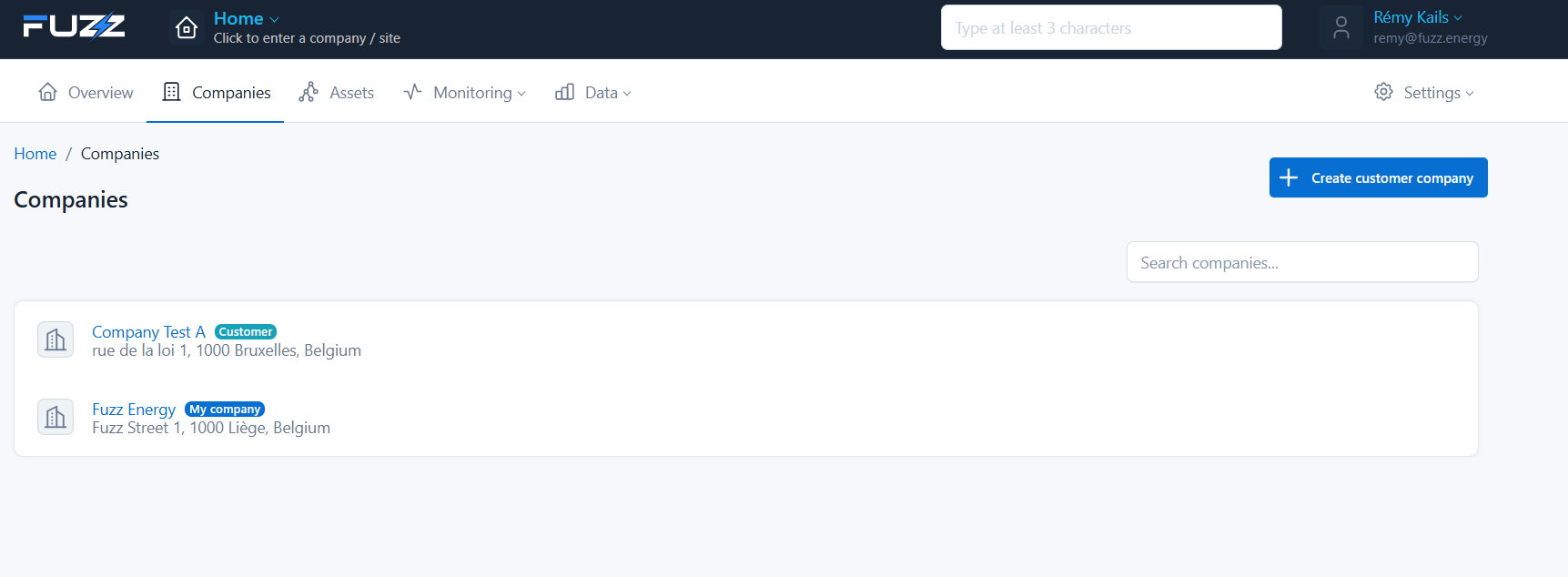
From the console:
- Click on Companies
- Click on Create customer company
✏️ Step 1 — Company information
Fill in the main information:
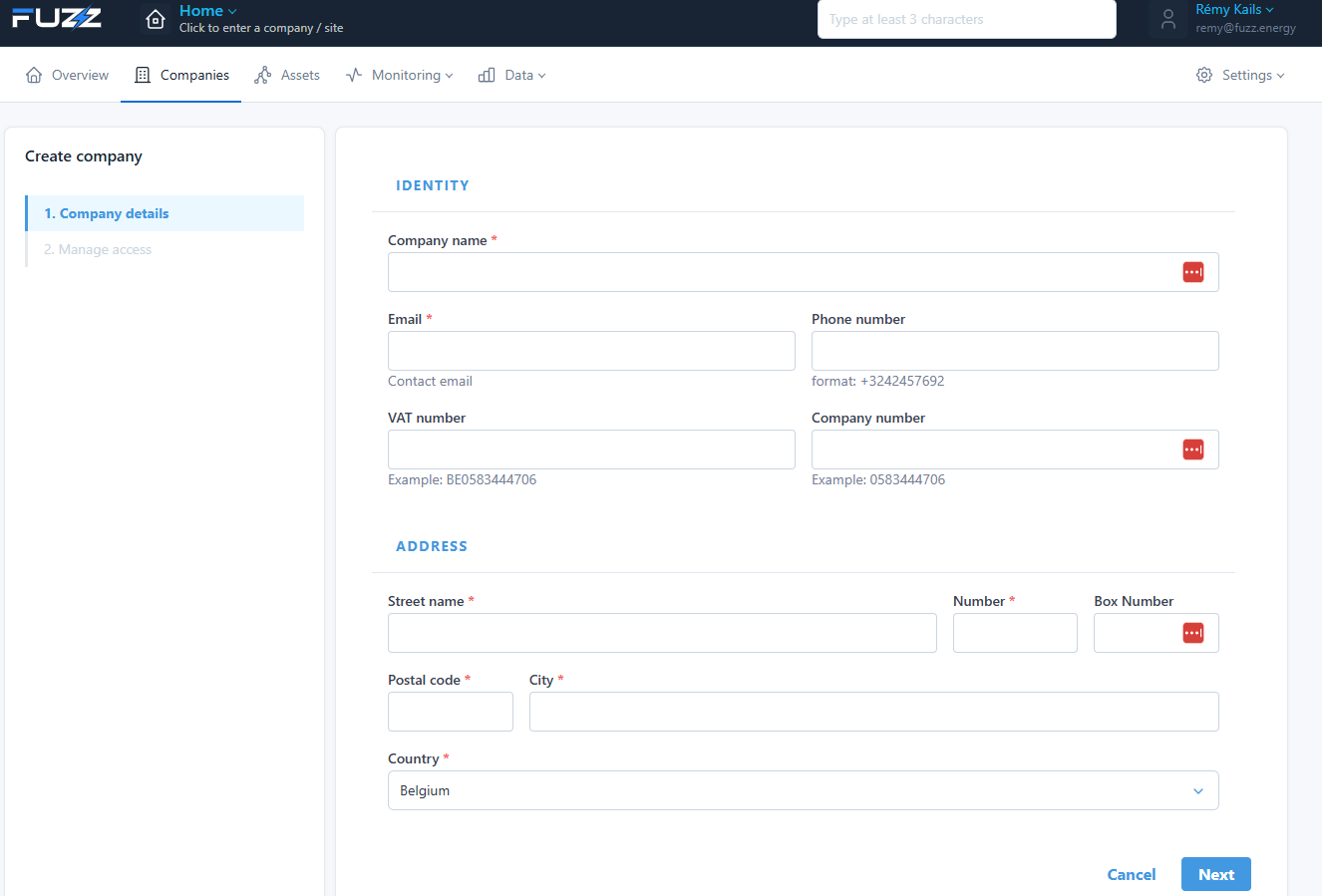
Required information
- Company name: the company name
- Email: contact email
- Phone number: phone number
- VAT number: VAT number
- Company number: company number
Address
- Street, number, box
- Postal code and city
- Country
👉 Click on Next to go to the next step.
🔐 Step 2 — Access management
Configure the user groups associated with the company:
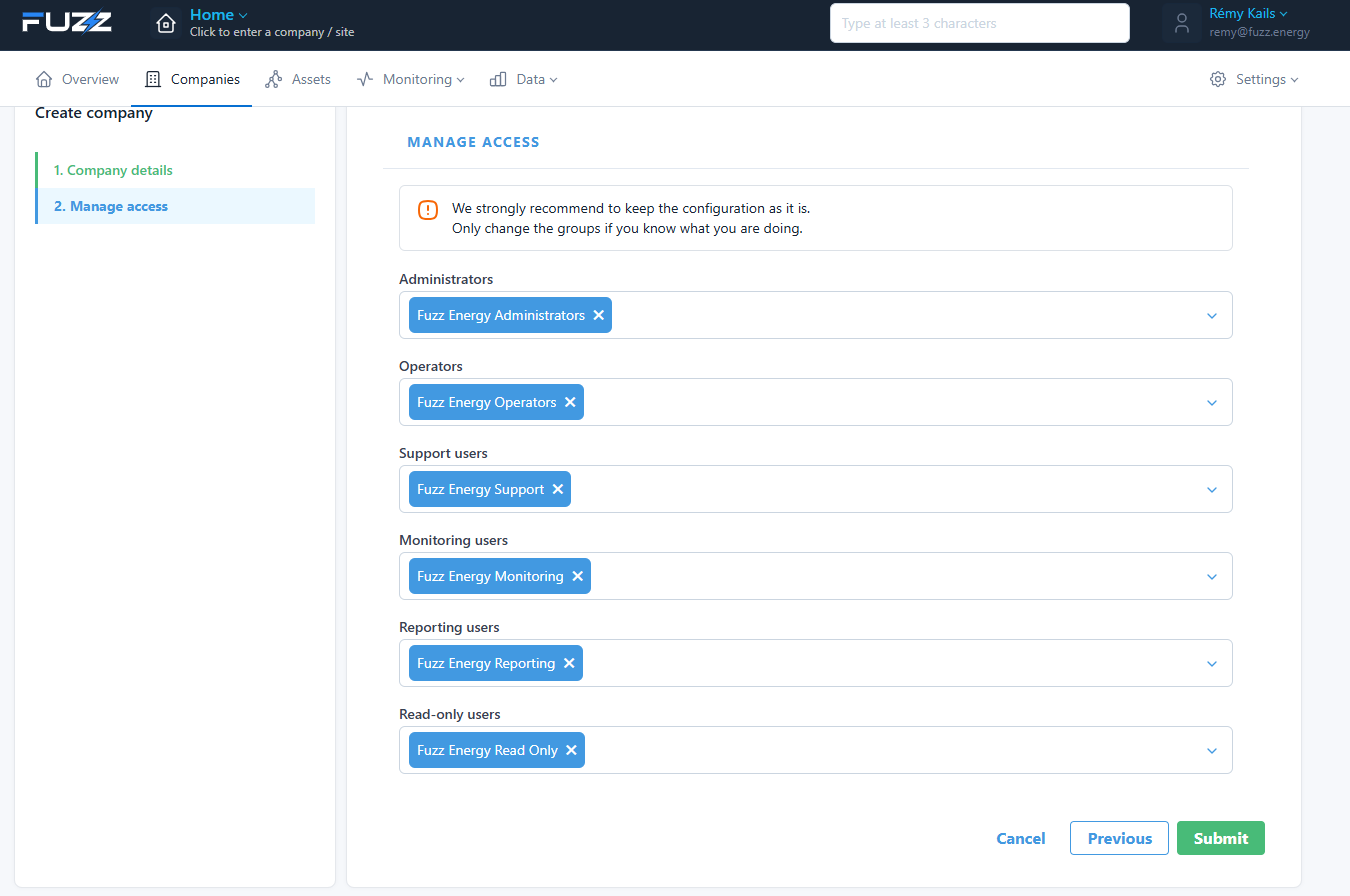
Available roles
- Administrators: full management
- Operators: daily operations
- Support users: technical support
- Monitoring users: supervision
- Reporting users: data access
- Read-only users: read-only access
info
We recommend keeping the default configuration unless there is a specific case.
✅ Validation
Click on Submit to create the company.
🎯 Result
The company is now created and available in the Companies list.
You can then:
- Create sites
- Add users
- Configure access
- Supervise installations