Sites view
📊 Company overview
The company Overview provides a summary view of all sites.
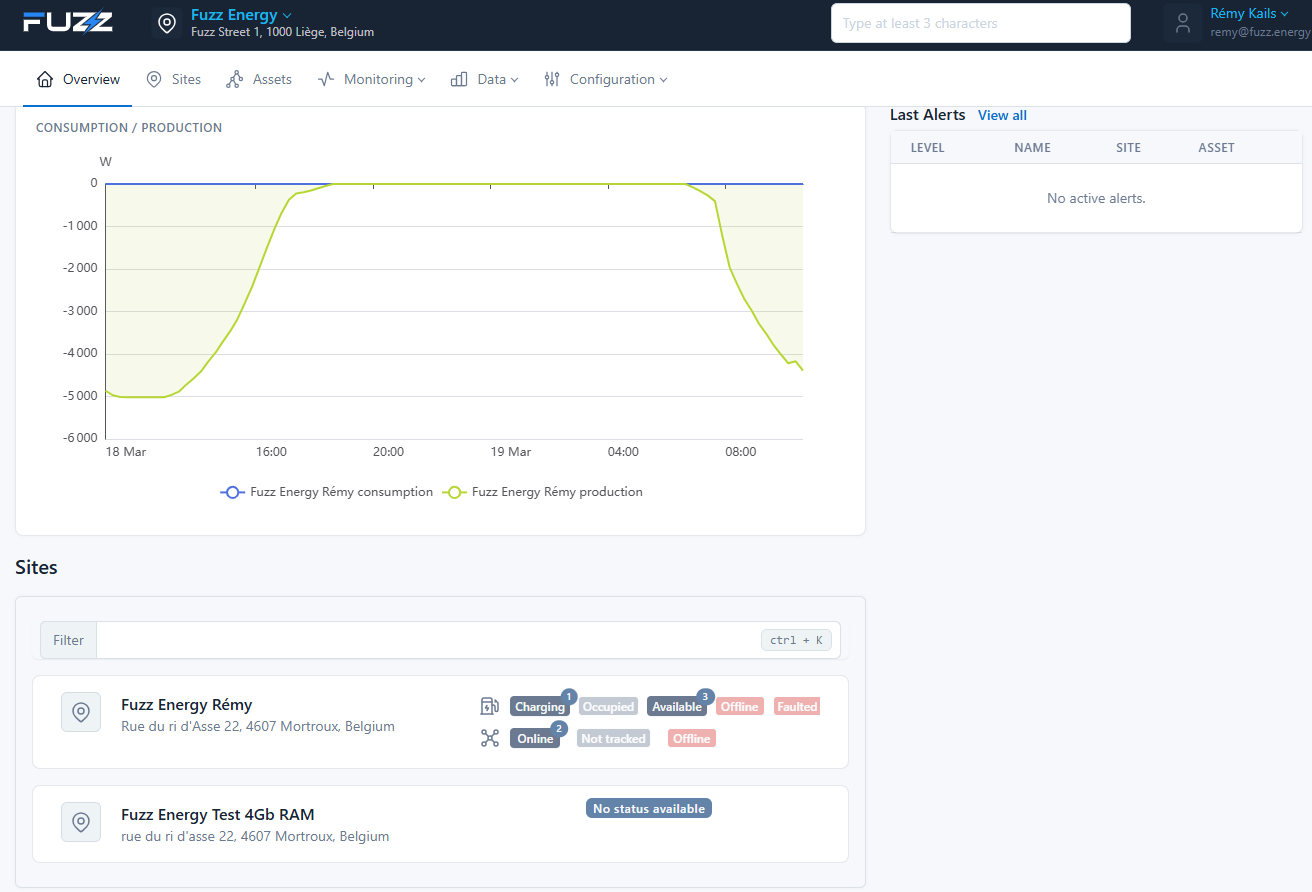
It allows quickly monitoring overall activity thanks to:
- A consumption and production chart aggregated across all sites
- A view of the latest alerts
- Direct access to the site list and their status
This view is ideal for:
- Tracking overall energy performance
- Quickly identifying anomalies
- Reaching sites that need special attention
👉 The overview acts as a centralized dashboard to steer your entire infrastructure.
📍 Sites view
The sites view lets you visualize and manage all installations associated with a company.
It offers quick access to operational status, key information, and navigation to each site.
📍 Access
From the console:
- Click on Companies
- Select a company
- Go to the Sites tab
🧭 Global view
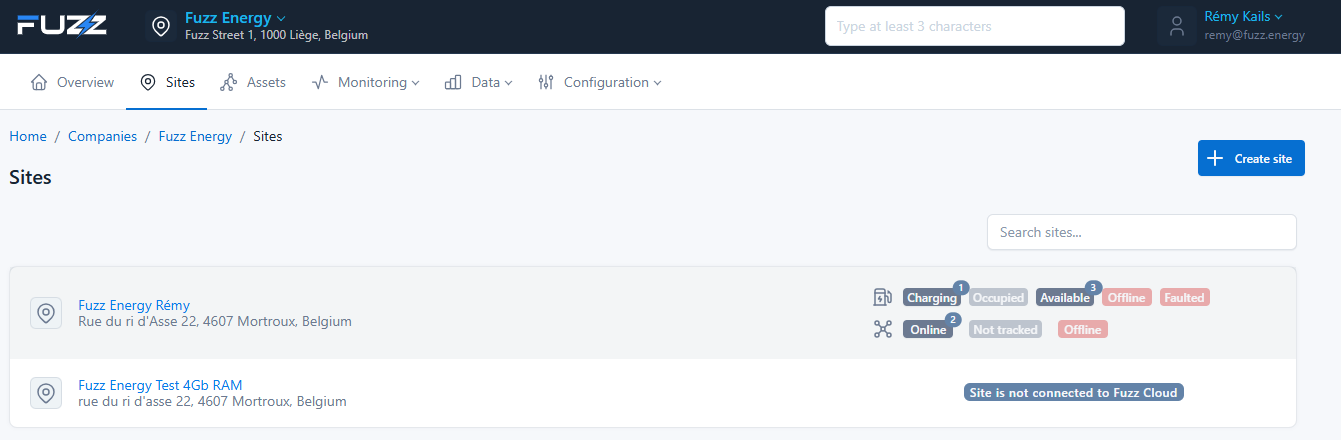
The page lists all the company's sites with:
- Site name
- Address
- Global status
- Equipment state (charge points, connectivity, etc.)
Each row corresponds to a site and gives a summary of its state.
📊 Displayed statuses
Each site exposes key indicators:
🔌 Charge points
- Charging: number of charge points charging
- Available: number of available charge points
- Occupied: number of connected charge points not charging
- Offline: number of offline charge points
- Faulted: number of charge points in error
- Unavailable: number of unavailable charge points
🌐 Modbus assets
- Online: number of Modbus assets with active communication
- Offline: number of Modbus assets not responding
- Not tracked: number of Modbus assets not supervised
These statuses help quickly identify problems or ongoing activity.
⚠️ Special cases
The message Site is not connected to Fuzz Cloud appears when communication with the local controller is inactive. Either:
- Site not yet in service
- Failure related to the Local Controller's Internet access
A site that is not connected to the platform keeps working locally for Smart Charging as long as local network communication is functional.
➕ Create a site
From this page, you can create a new site:
- Click on Create site
- Configure the site settings
👉 See: Create a site
🎯 Purpose
The sites view allows you to:
- Quickly supervise all installations
- Identify anomalies
- Quickly access a site's details
- Manage infrastructure growth