⚙️ Configuring a site's jobs
Jobs define the site's automatic behavior: supervision, communication with equipment, smart charging, external integrations, etc.
🚀 Access
- Open a site
- Go to Configuration
🧭 Overview
Jobs are organized by category in the side menu:
- General settings
- Authorizers / CPO
- Logging
- Smart charging
- Metric
- Alerting
- Modbus
- Load Forecast
- Webhooks
- Partners
- Maintenance
Each section corresponds to a specific site behavior.
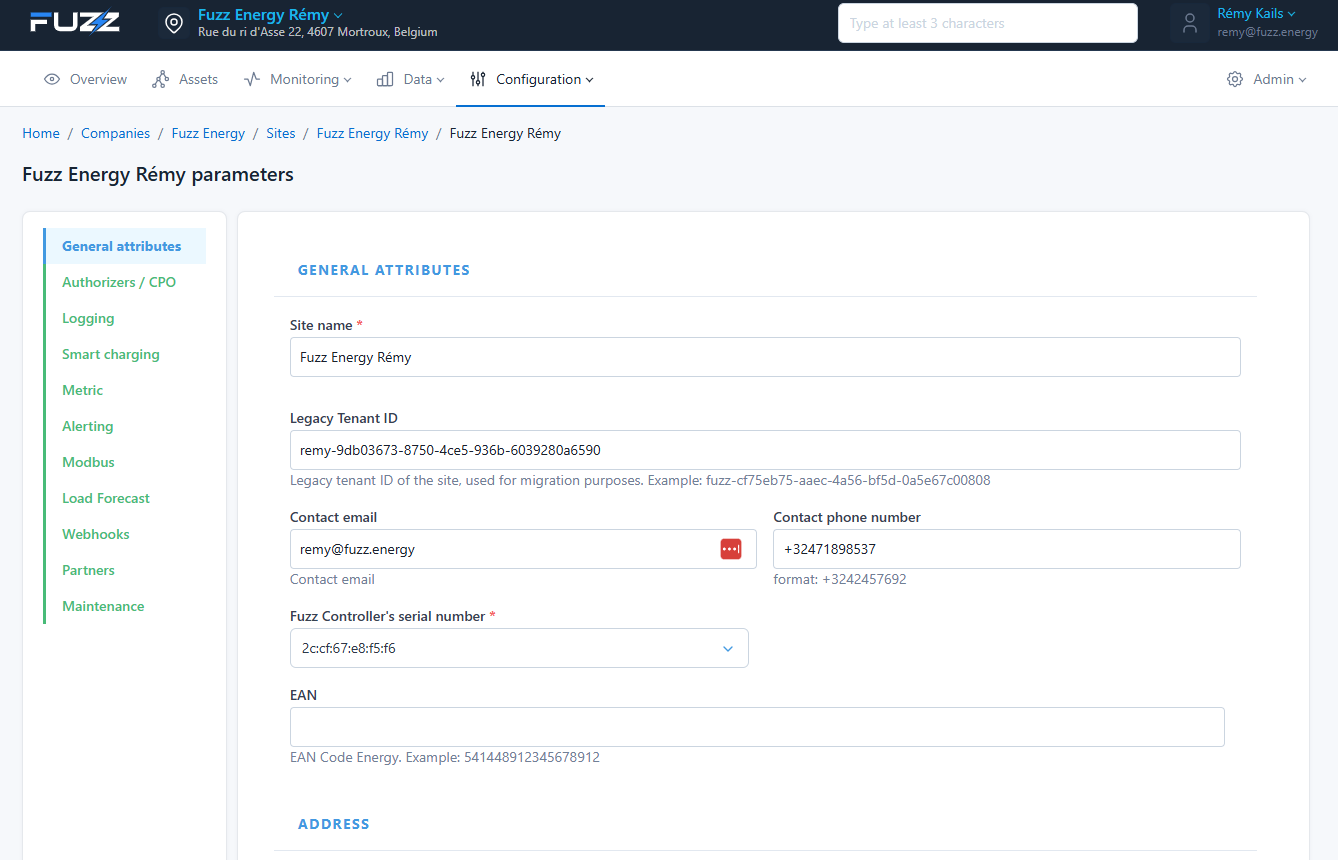
General settings were already configured when the site was created.
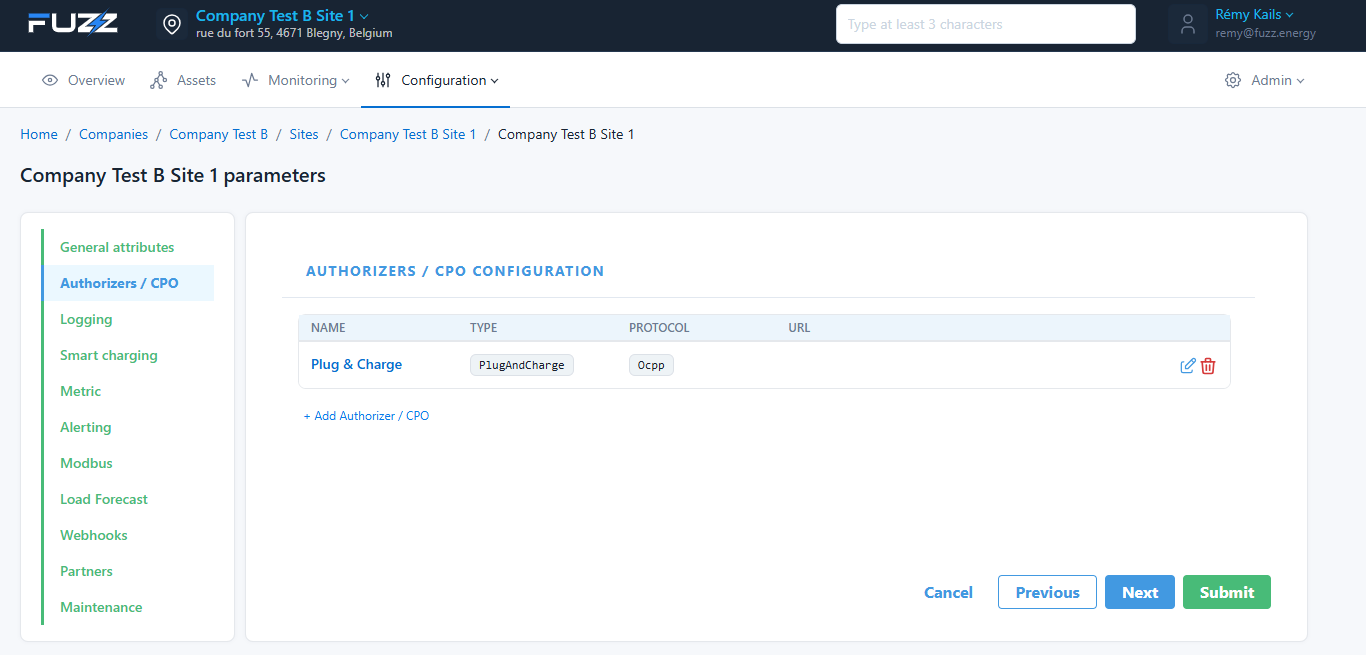
🔐 Authorizers / CPO
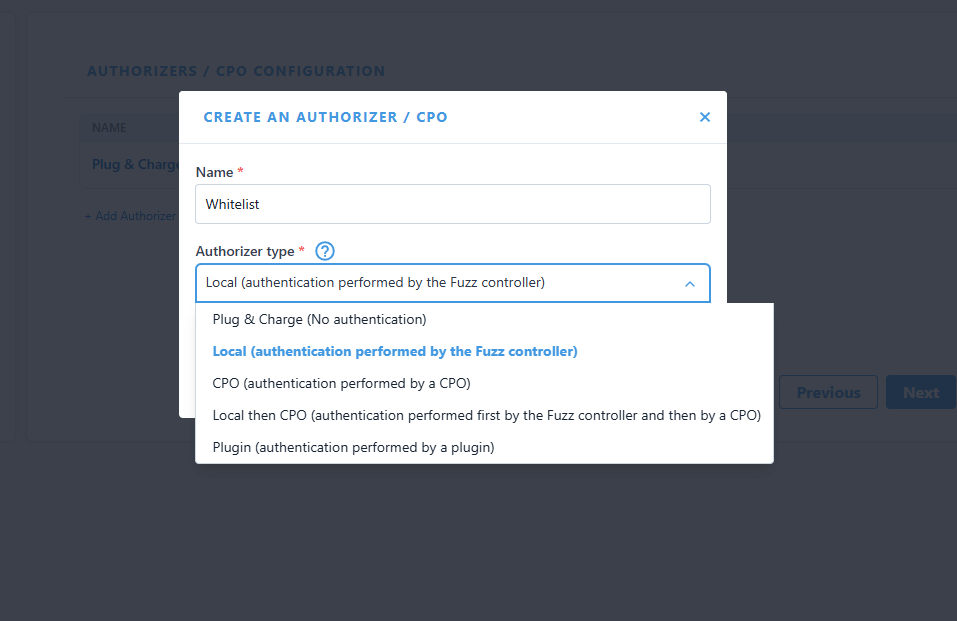
Lets you configure user authentication methods:
- Local: authentication via the Fuzz controller
- Plug & Charge: no authentication
- CPO: via an external operator
- Plugin: via a specific integration
- LocalThenCPO: lets you configure a CPO but go through the whitelist first (allows managing badge priorities)
📝 Logging
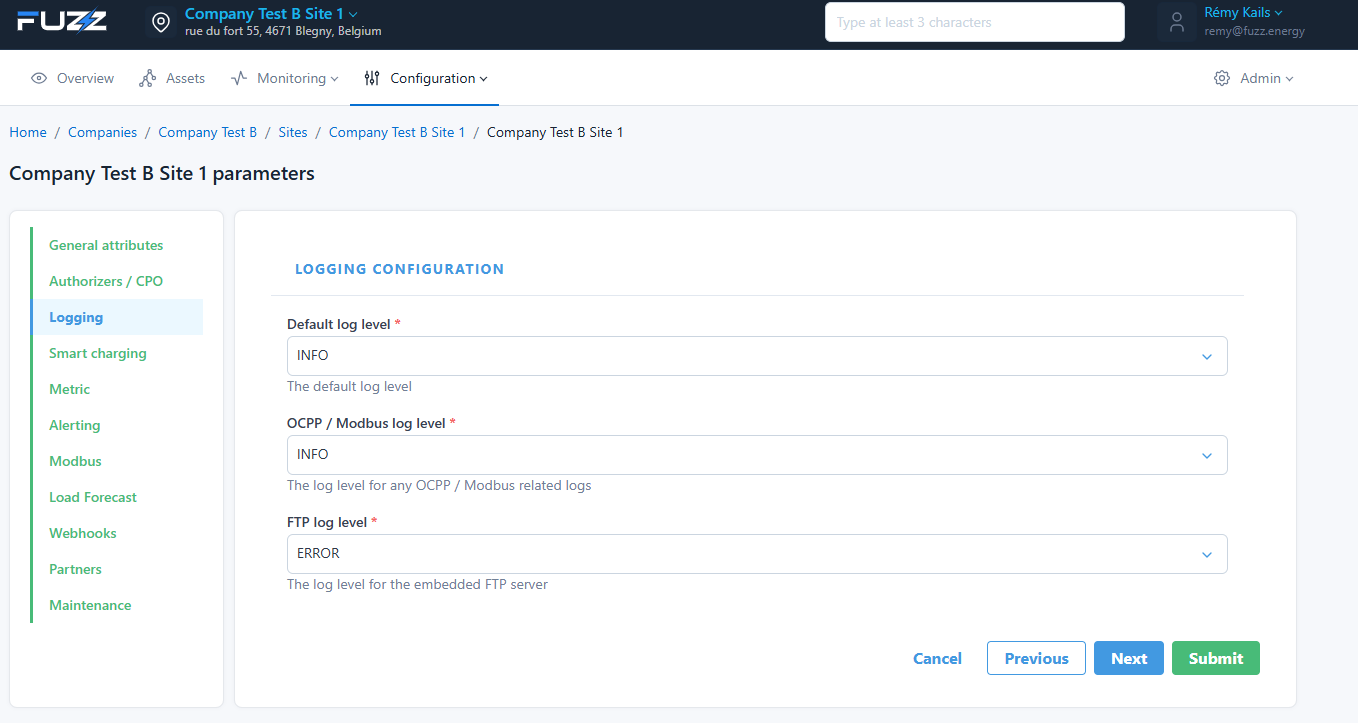
Configures log levels:
- Default log level
- OCPP / Modbus log level
- FTP log level
👉 Lets you adjust the level of detail for diagnostics.
Keep the default configuration to avoid saturating the controller's memory.
⚡ Smart charging
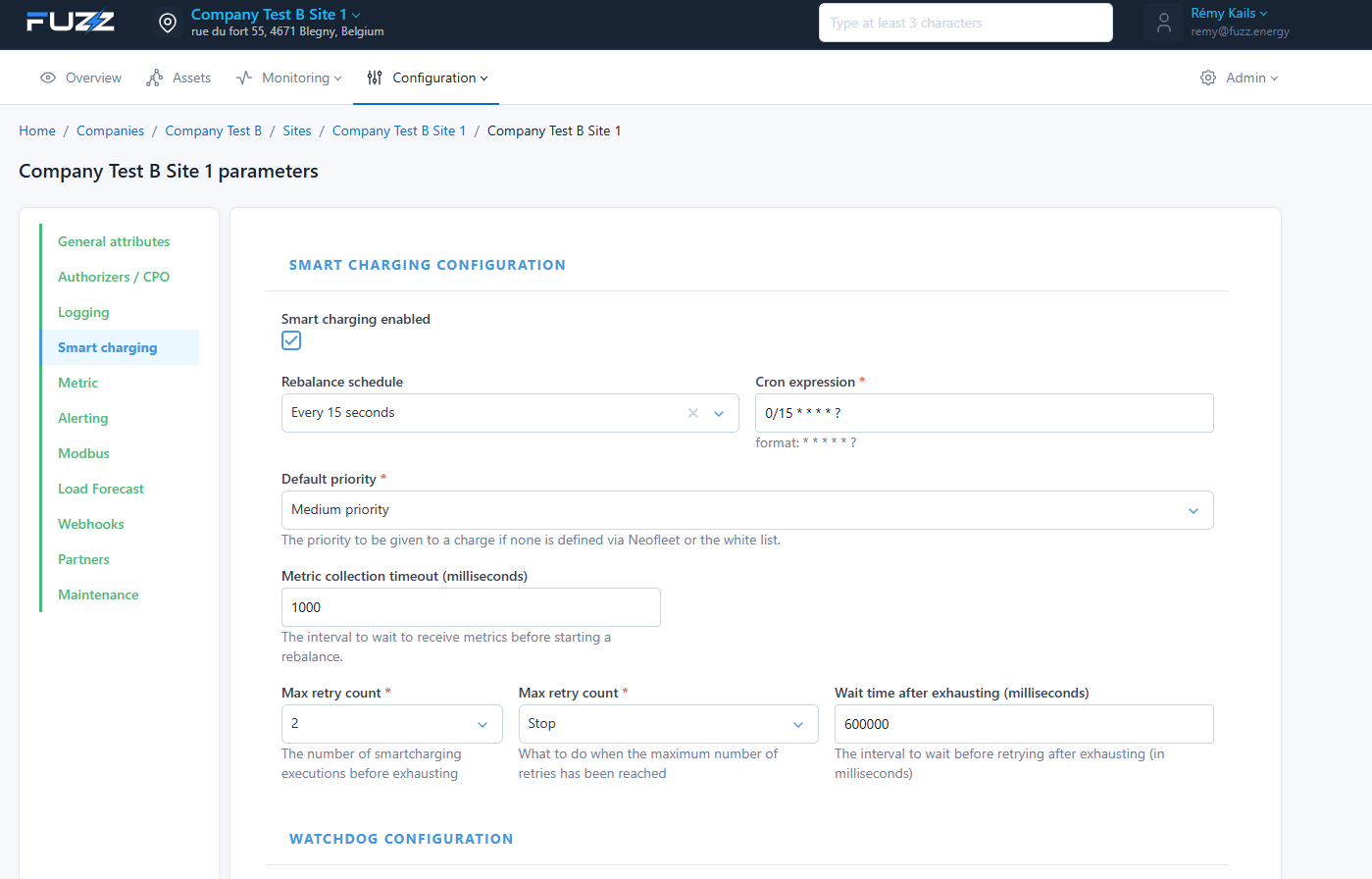
Enables and configures charging optimization:
- Smart charging activation
- Smart charging execution frequency (cron)
- Default priority: if the badge is unknown to the local whitelist
- Retry handling: if a charge point does not charge although a setpoint was sent to it, we retry starting the charge later.
🔍 Watchdog
Monitors overloads and speeds up smart charging handling in critical situations.
📈 Optimizer
Allows progressively reducing the power allocated to a charge point if it does not consume all its allocated power. This is usually a limit imposed by the vehicle (example: vehicle limited to max 11kW on a 22kW charge point). This frees up that power so it can be allocated to vehicles that can benefit from it.
📊 Metric
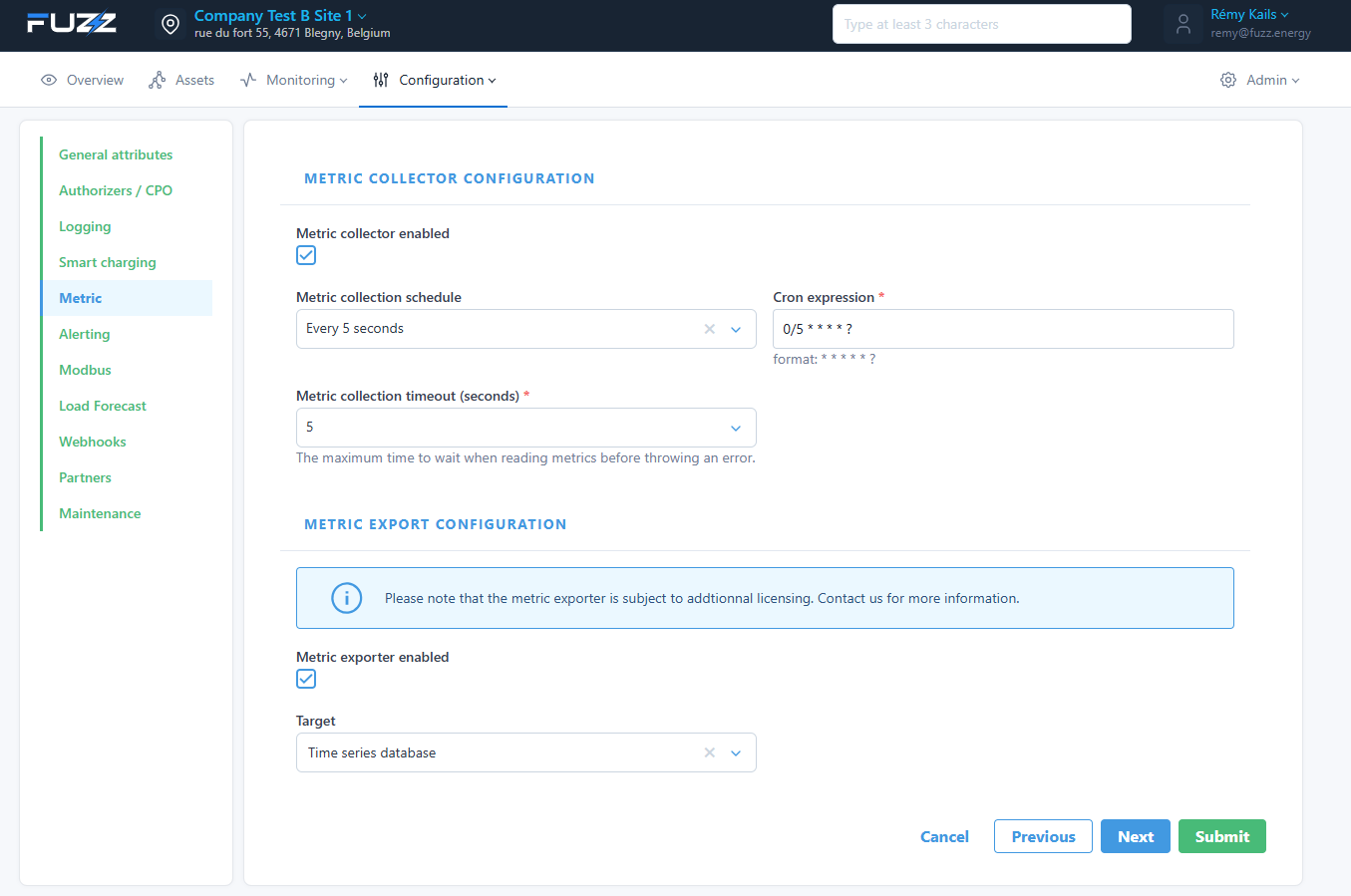
Lets you collect and export data:
- Collector activation
- Collection frequency
- Timeout
📤 Export
Data export to an external database.
Metric export may require an additional license.
🚨 Alerting
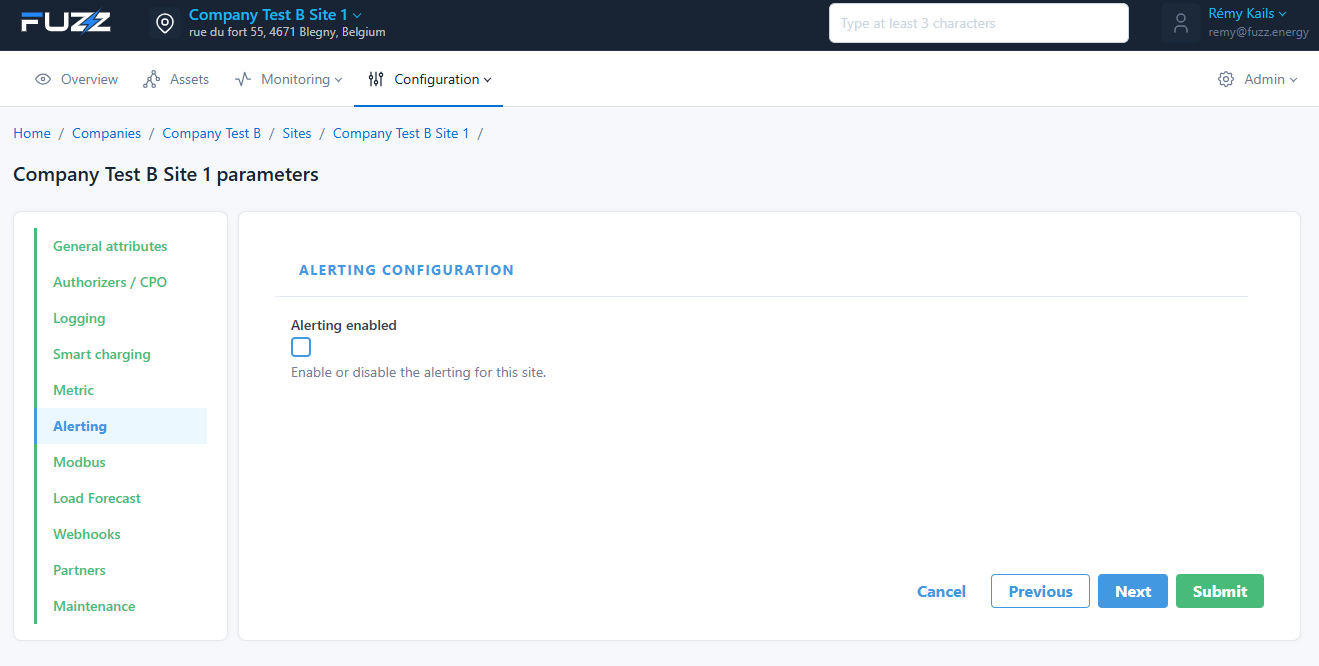
Enables alerts on the site.
Metric export may require an additional license.
🔌 Modbus
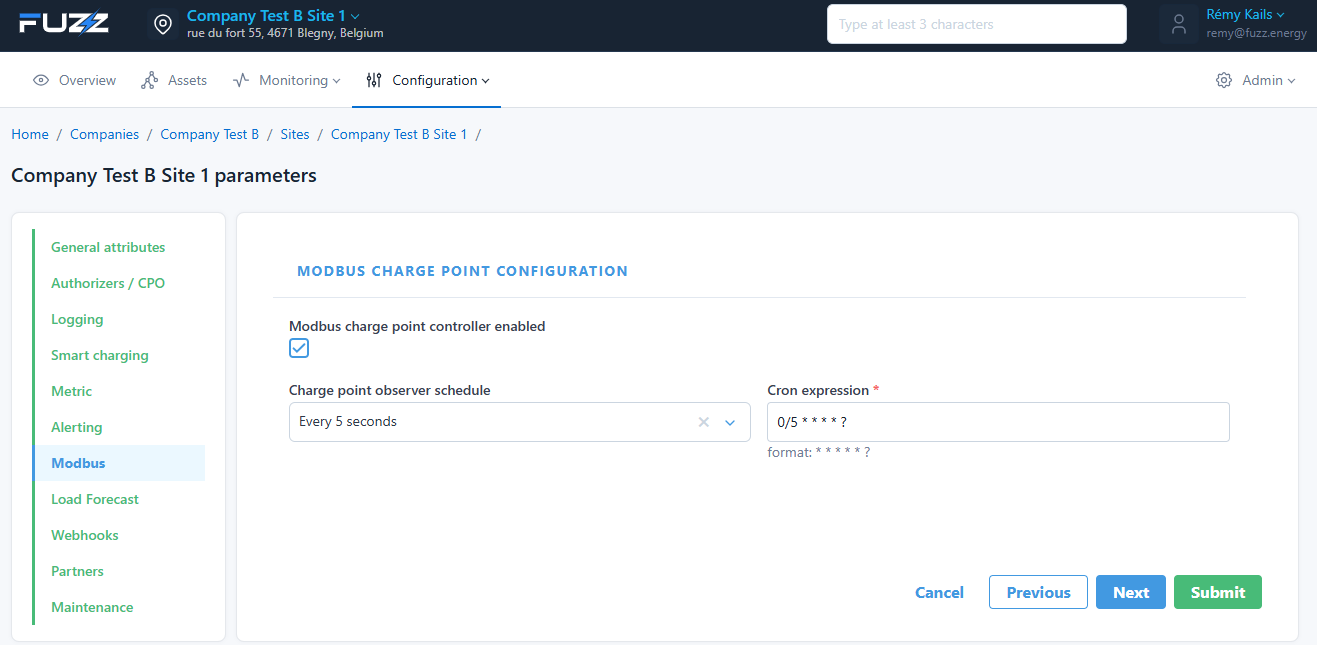
Configures communication with charge points via Modbus (reading charge point status):
- Activation
- Reading frequency
📉 Load Forecast
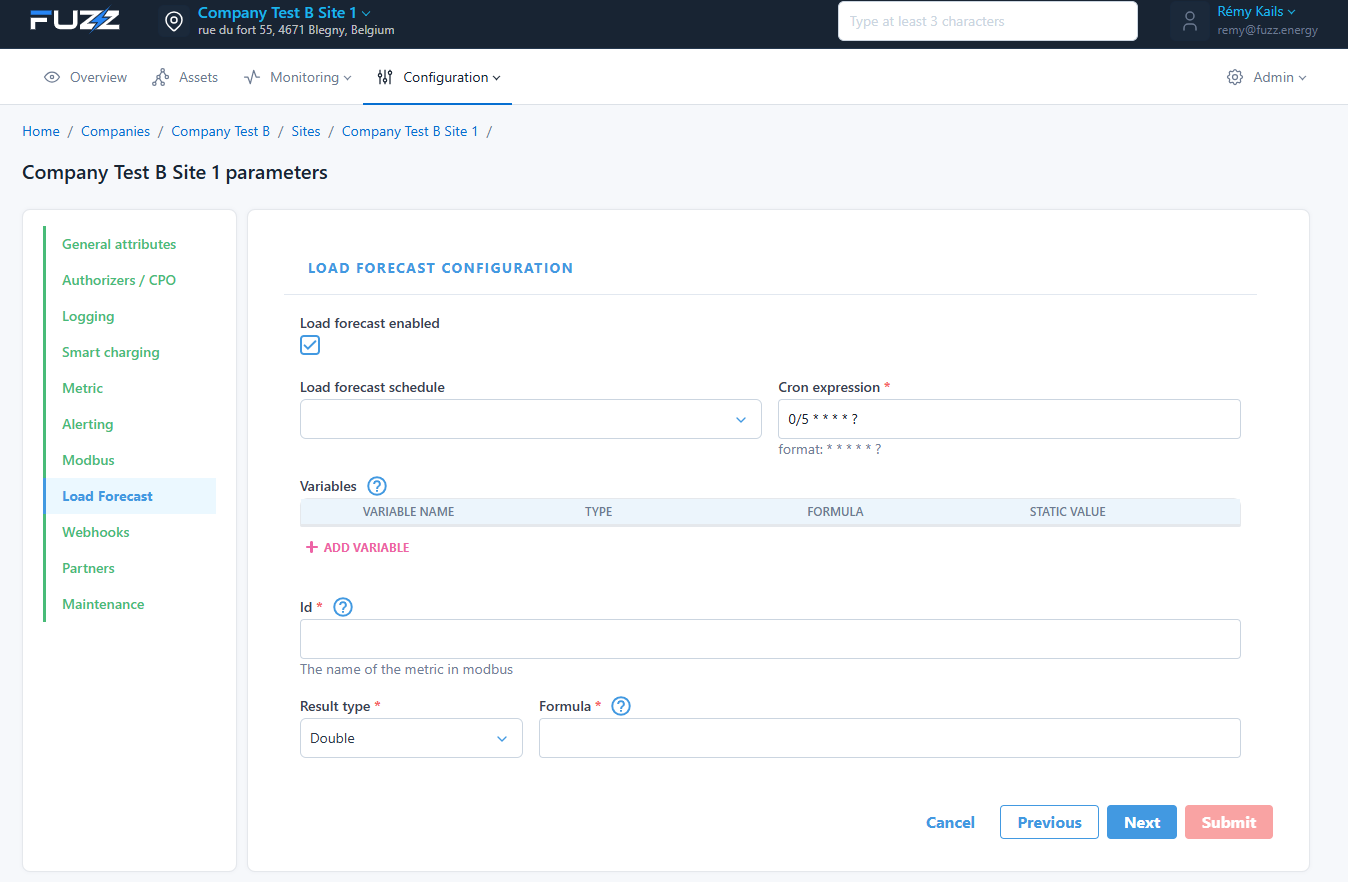
Lets you anticipate energy consumption:
- Activation
- Scheduling
- Variables and formulas
🔗 Webhooks
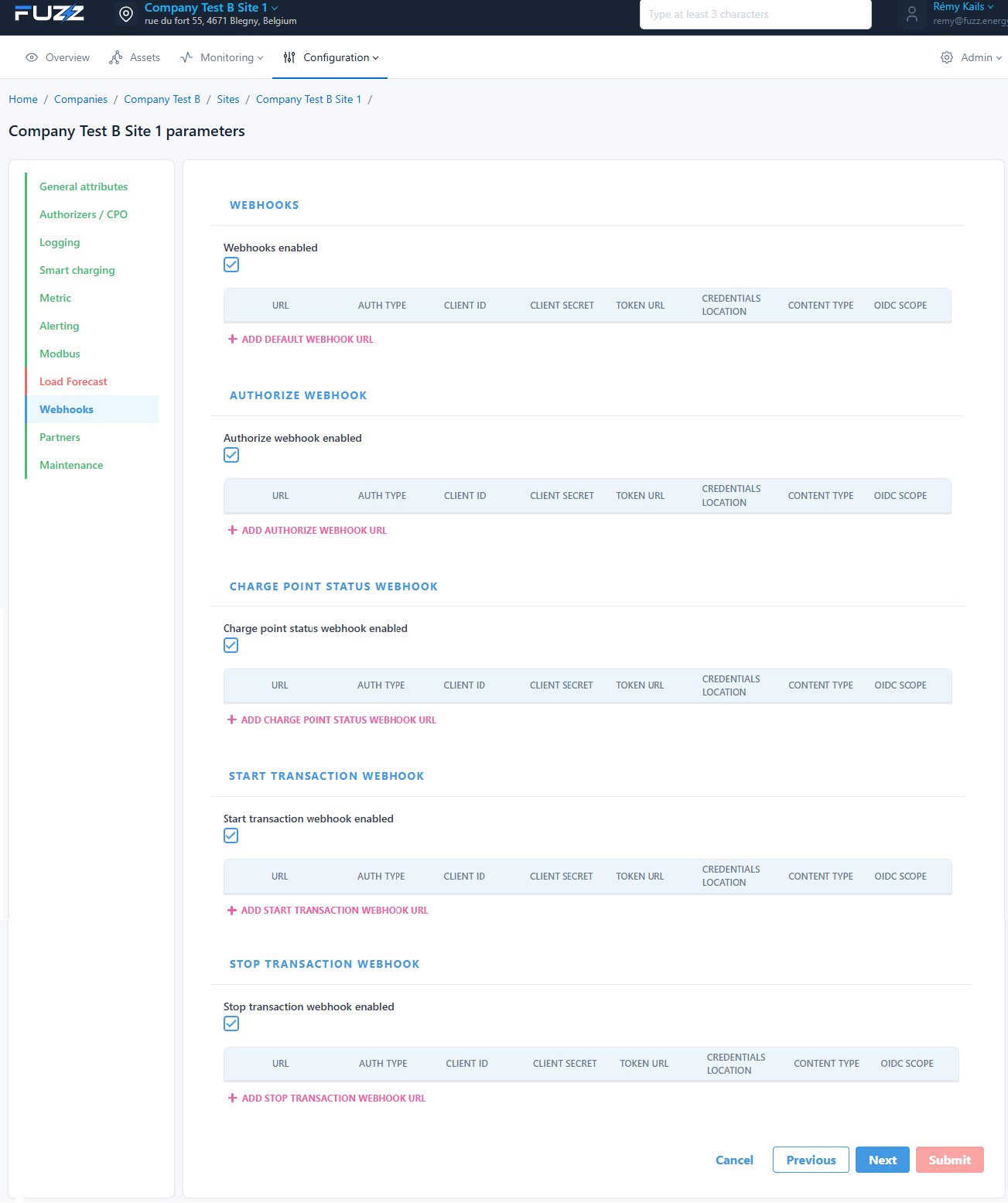
Lets you send events to external systems:
- Charge point status
- Session start / end
- Authorizations
Each webhook can be configured with:
- URL
- Authentication (OAuth2, etc.)
- Headers / parameters
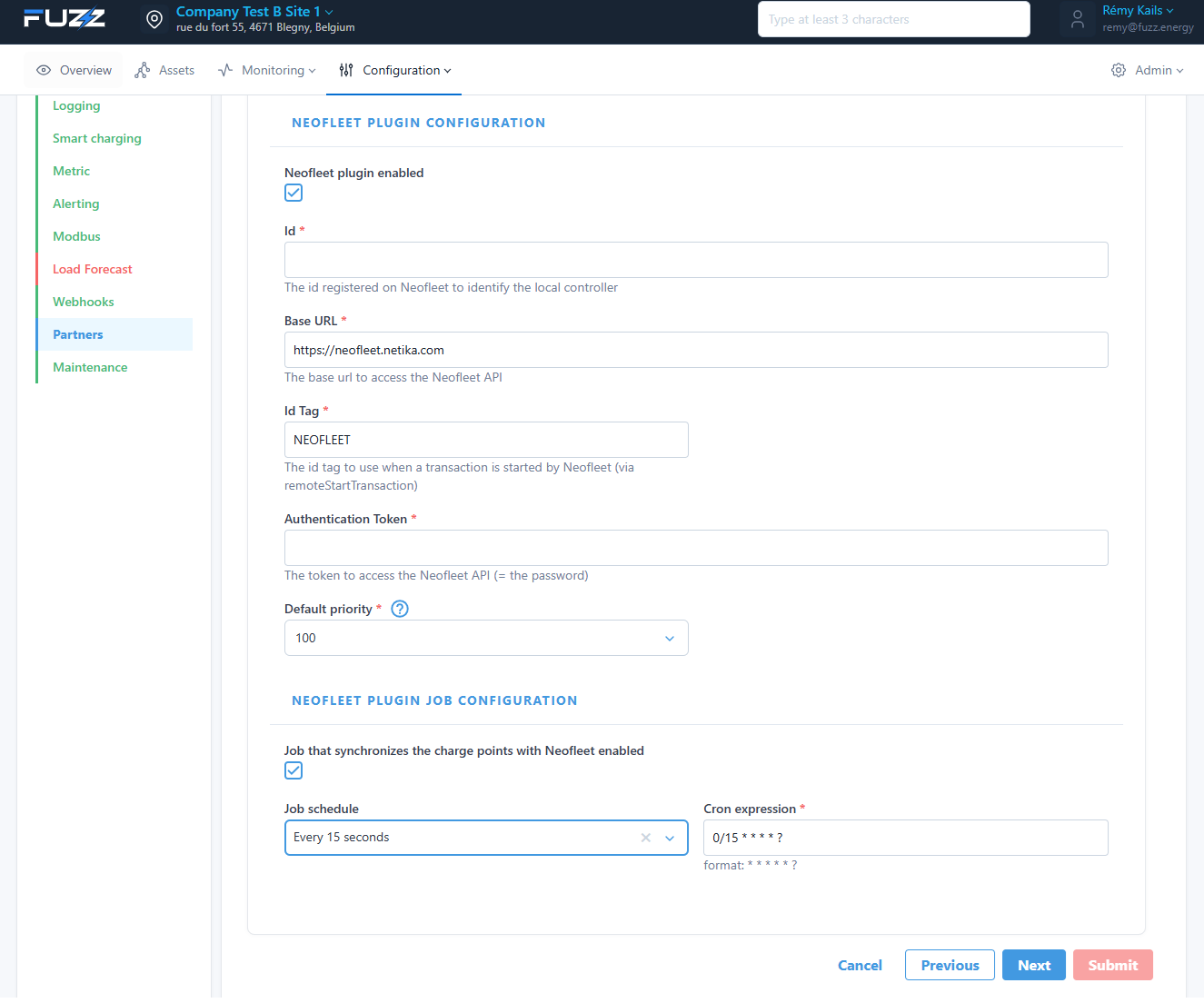
🤝 Partners
Lets you integrate external services.
Example: Neofleet
- Charge point synchronization
- API configuration
- Job scheduling
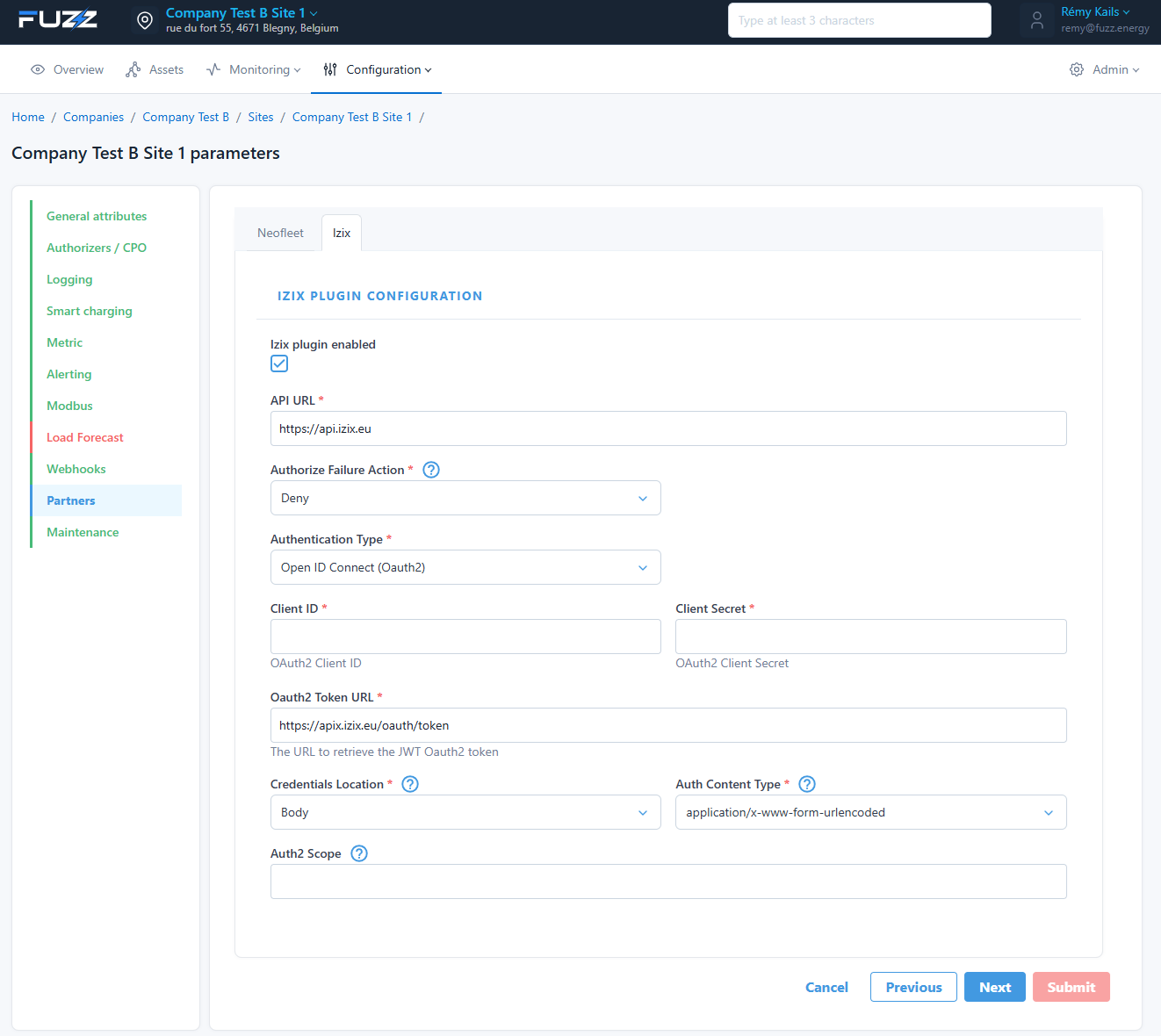
Example: Izix
- OAuth2 authentication
- Connection to an external API
🛠️ Maintenance
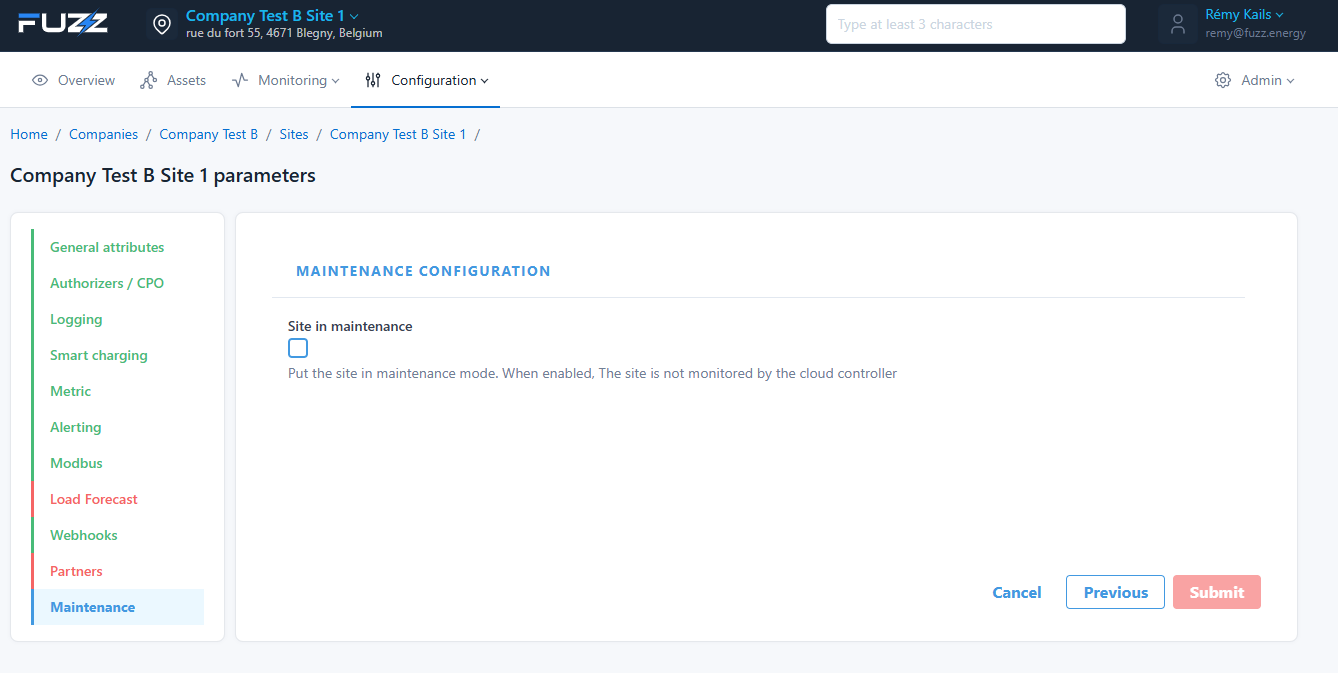
Lets you put the site in maintenance mode.
A site in maintenance mode is no longer supervised by the cloud.
✅ Validation
Click on Submit to save the configurations.
🎯 Best practices
- Only enable the necessary jobs
- Check frequencies (cron) to avoid overload
- Test external integrations (webhooks, partners)
- Monitor logs in case of problems
🔗 Next step
Once jobs are configured, you can: