➕ Create a site
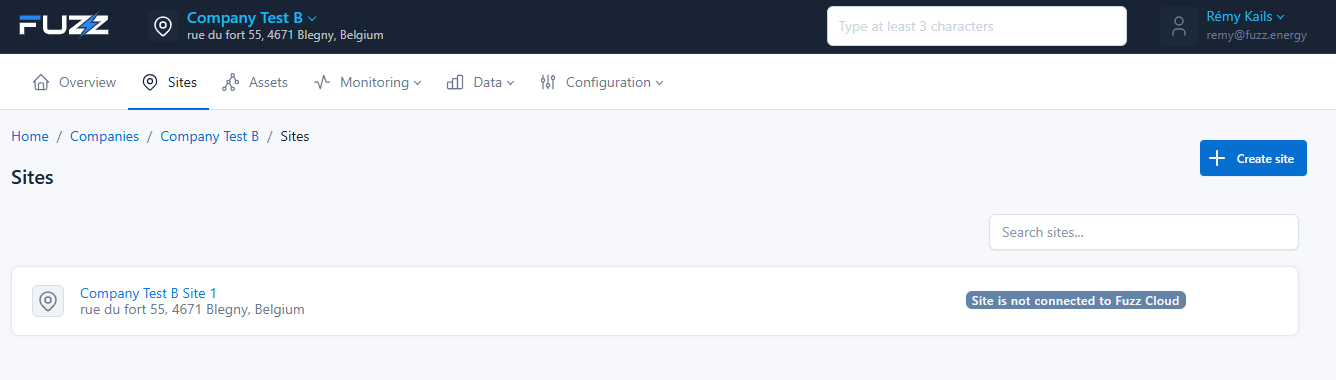
Creating a site adds a new installation to a company so it can be supervised and controlled in the platform.
🚀 Access
- Go to Companies
- Select a company
- Open the Sites tab
- Click on Create site
🧭 Choosing a creation method
Several options are available when creating:
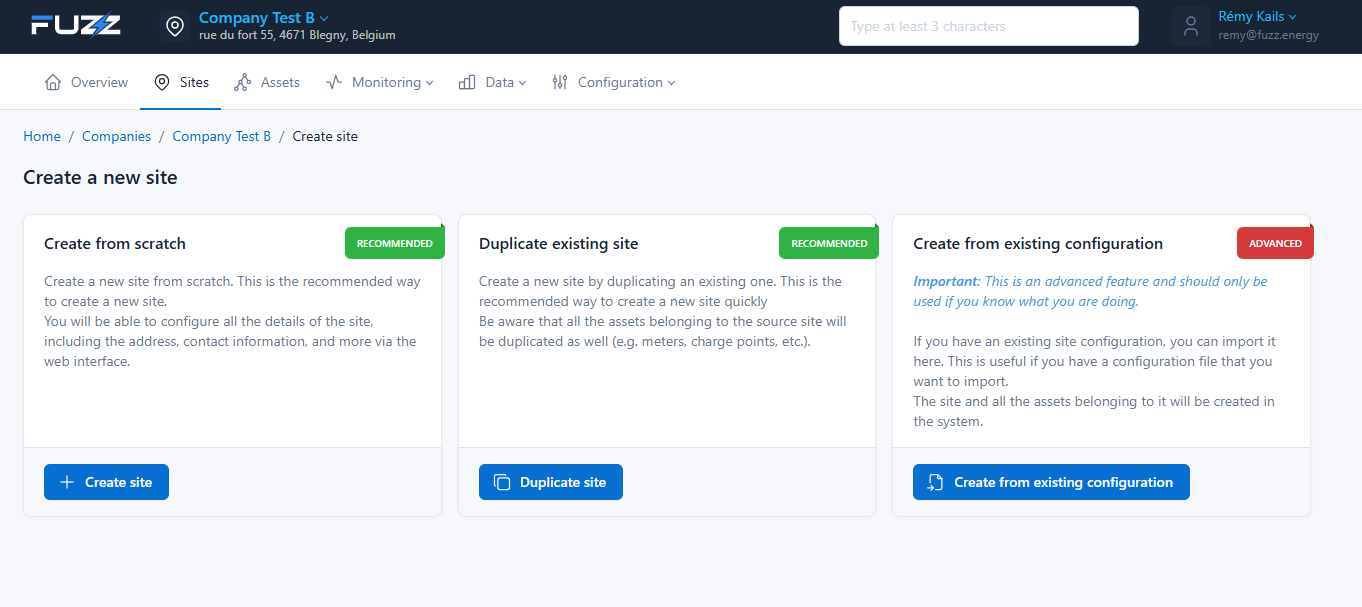
✅ Create from scratch (recommended)
Creates a completely new site.
- Full configuration via the interface
- Ideal for new deployments
🔁 Duplicate existing site
Creates a site based on an existing site.
- Reuses the existing configuration
- Includes assets (meters, charge points, etc.)
Use this option to save time on similar deployments.
⚙️ Create from existing configuration (advanced)
Imports an existing configuration.
- Automatic creation of the site and its assets via a JSON file to import
Advanced feature reserved for experienced users. A bad configuration can cause system errors.
📝 Configuring the site
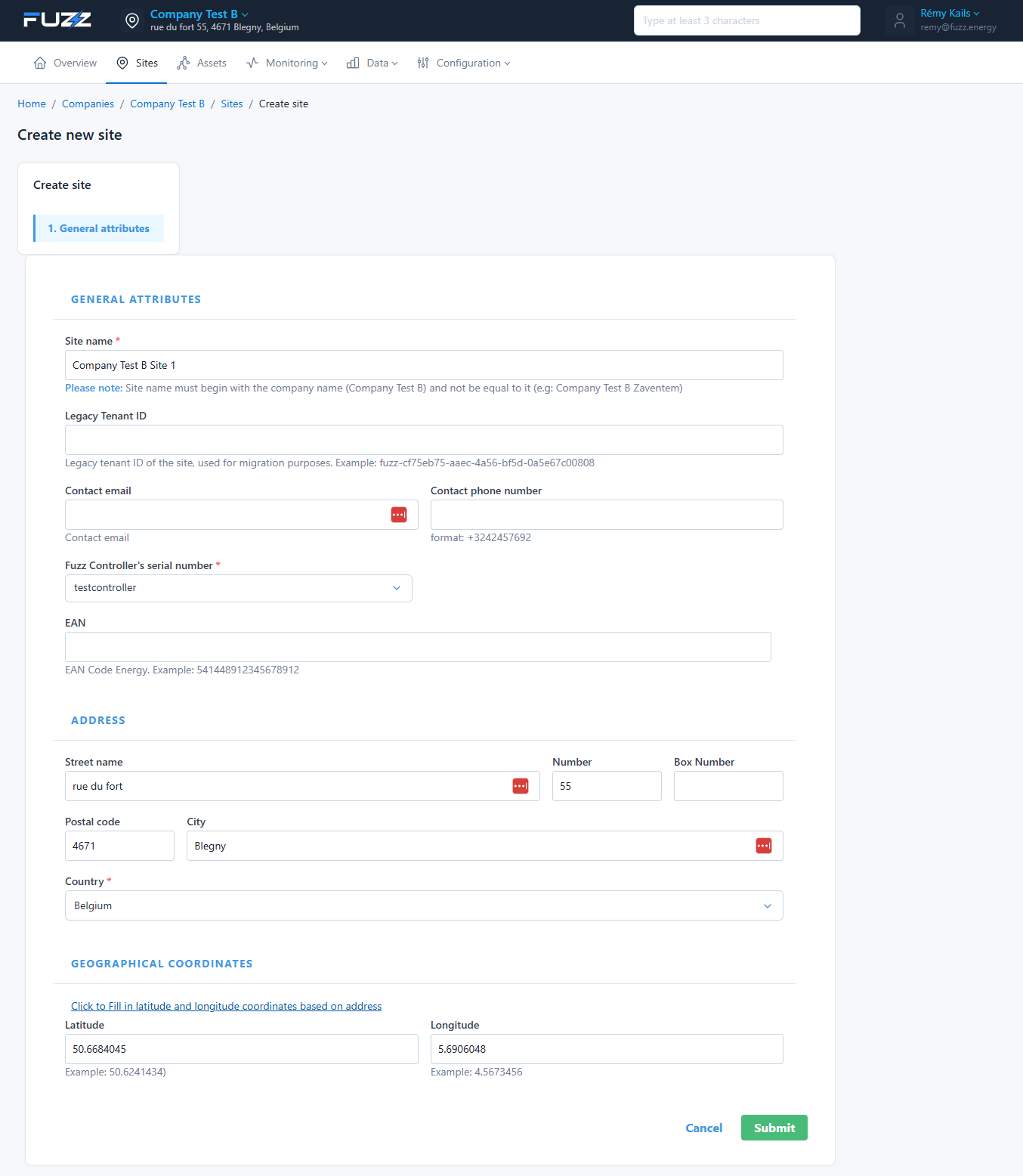
📌 General attributes
- Site name: must start with the company name
- Legacy Tenant ID: used for migrations
- Contact email / phone: contact information
- Fuzz Controller serial number: controller identifier
- EAN: site energy code
The controller is essential for communication with the platform. Make sure it is properly powered and connected to the internet when configuring the site.
📍 Address
- Street
- Number / box
- Postal code
- City
- Country
🌍 Geographic coordinates
- Latitude
- Longitude
You can auto-fill the coordinates from the address.
✅ Validation
Click on Submit to create the site.
- The site appears immediately in the list
- Its status will depend on connectivity and configuration
⚠️ After creation
A site may appear with the status Site is not connected to Fuzz Cloud if the controller is not connected to the internet.
🎯 Purpose
Creating a site allows you to:
- Structure your infrastructure
- Connect equipment (charge points, meters…)
- Supervise and control your installations
🔧 Next steps
After creating the site, additional configuration is required to make it fully operational.
⚙️ Configure jobs
Jobs define the site's behavior (smart charging, data collection, data export, API, etc.).
👉 See: Configure the site's jobs
🗺️ Configure the topology
The topology lets you create and structure equipment (charge points, meters, sub-switchboards, etc.) and define their relationships.
👉 See: Configure the site topology