👤 Managing users
The Users tab lets you create a user and associate them with one or more groups.
Creating a user
To add a new user:
- Open the Users tab
- Click on Add user
- Fill in the user attributes
- Click on Next
- Select the groups to associate
- Click on Submit
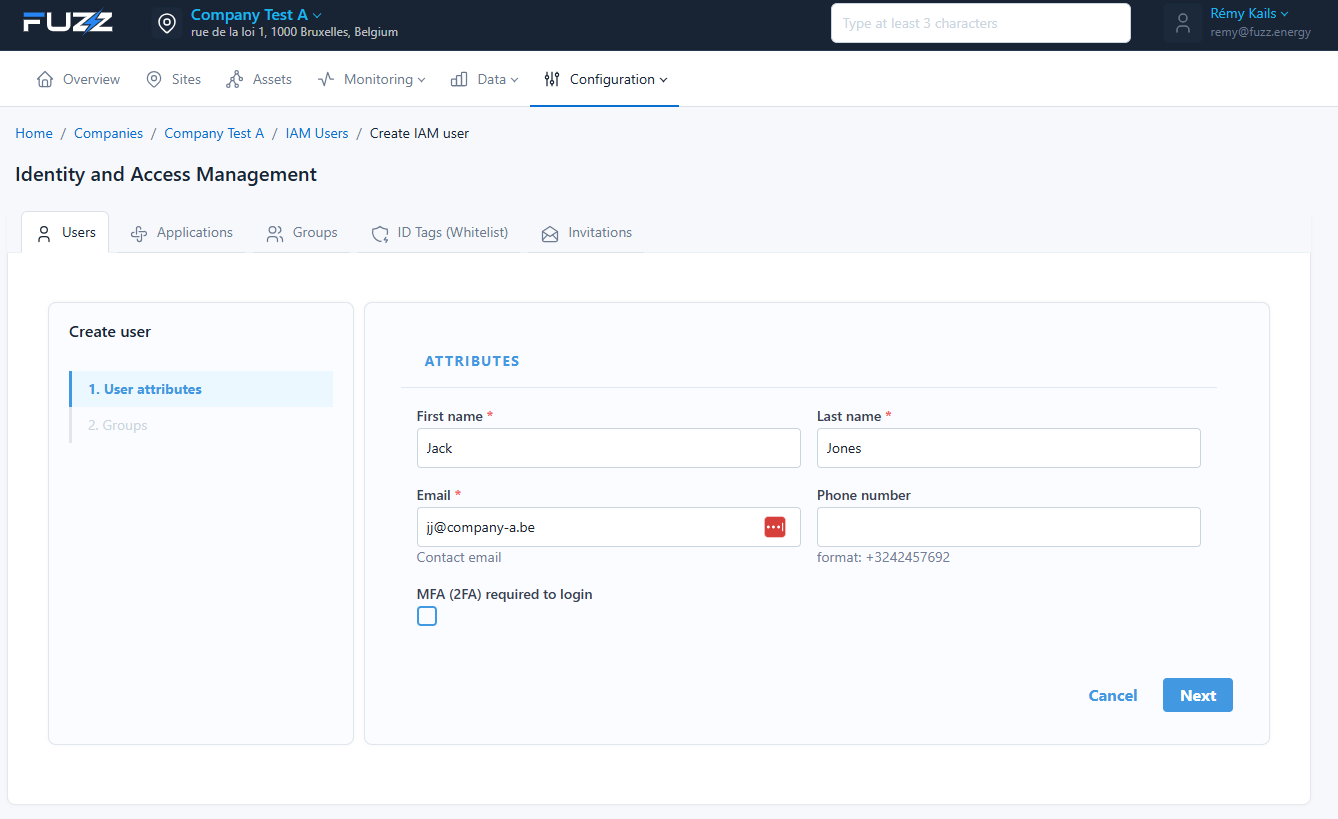
Available attributes
During creation, you can fill in:
- First name
- Last name
- Phone number
You can also enable the option:
- MFA (2FA) required to login: two-factor authentication via an app such as Google Authenticator
info
We recommend enabling MFA for administrator accounts.
Associating groups
At the next step, select one or more groups to define the user's permissions.
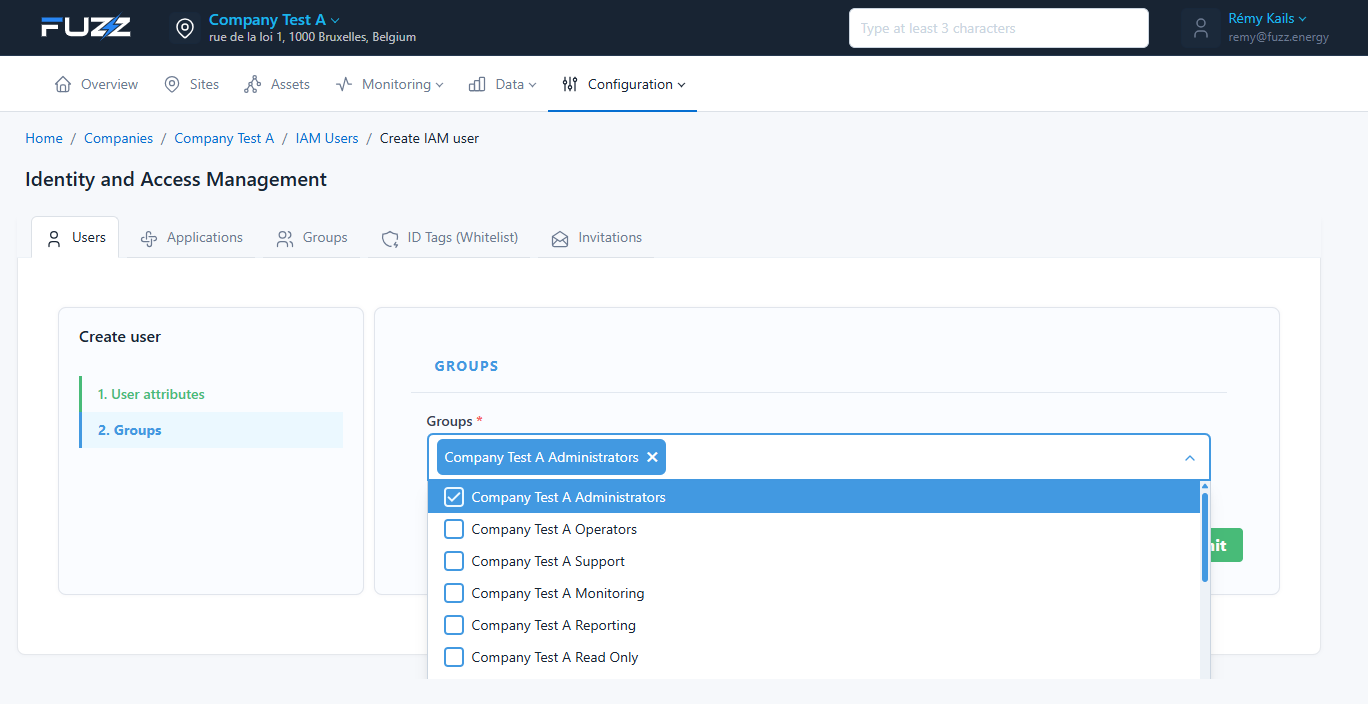
Groups determine the level of access within the company.